

This article was first published at the end of October 2025.
Buying Advice
Hi everyone. This is Vitamin P — over a hundred laptops reviewed. With all-rounder portability, TrackPoint pedigree, and ISV-certified professional graphics, let me dive straight into my hands-on experience with the ThinkPad P16v 2025 (Gen3).
If your priority is gaming or raw price-to-performance for personal entertainment, the ThinkPad probably isn't for you. But if you're a business professional, designer, or engineer with a TrackPoint habit, the P-series mobile workstation will still earn a second look.

Relatively stable operation, relatively safe and reliable data, 26-item MIL-SPEC durability testing, a spill-resistant keyboard, a 2-year warranty on major components, unlimited on-site service in mainland China for 2 years, a 1-year international warranty, 1-year data rescue, and 24-hour online support — these are the backbone of the ThinkPad P16v. Anyone who has worked at a large enterprise knows the drill; the ThinkPad tradition needs no elaboration. If you know thinkpad, you know it.
For productivity work that involves tinkering with Linux, you can also run Red Hat Enterprise Linux and Ubuntu — the ThinkPad's compatibility and stability with Linux distributions is well-established.
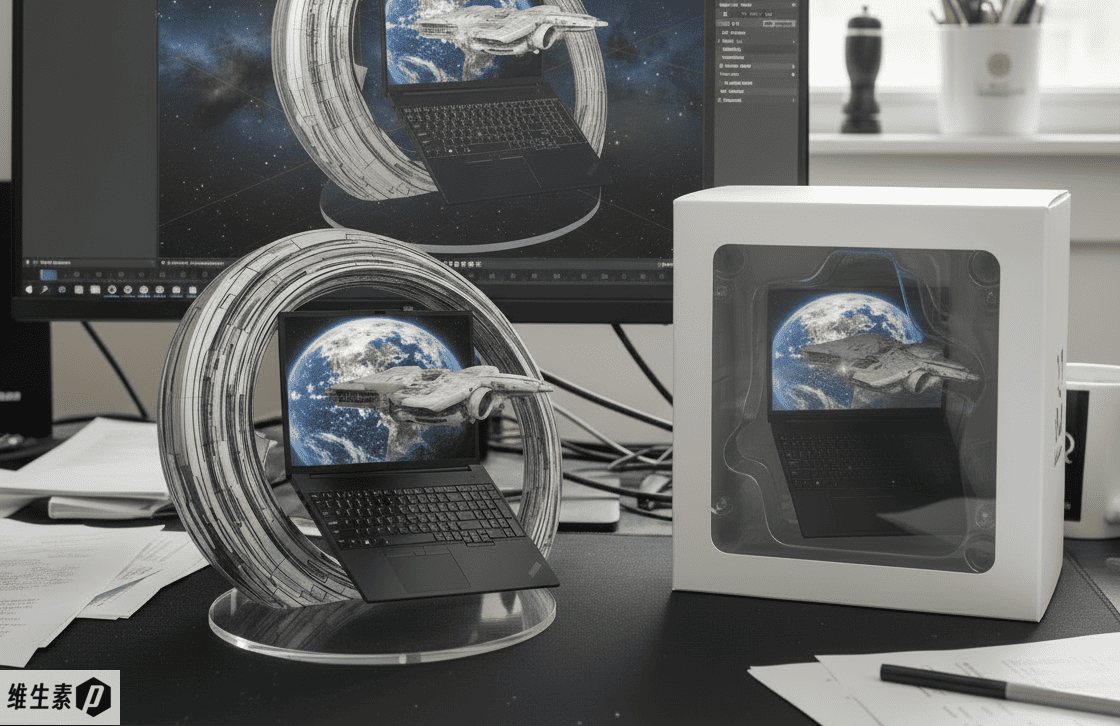
If the black ThinkPad looks like a suit, the P16v has the feel of an Italian-cut suit with a roomier armhole for easier movement — especially with 140 W PD 3.1 fast charging, which is a genuinely satisfying power boost for an engineer on the move.
The ThinkPad P16v 2025 (Gen3) went on sale at the end of September, and six configurations are currently available:
- U7-255H, 32G + 1TB, RTX Pro 500 - 6 GB
- U7-255H, 32G + 1TB, RTX Pro 1000 - 8 GB
- U7-255H, 32G + 1TB, RTX Pro 2000 - 8 GB
- U9-285H, 32G + 1TB, RTX Pro 2000 - 8 GB
- U9-285H, 32G + 1TB, RTX Pro 2000 - 8 GB, 4K OLED touchscreen
- U9-285H, 64G (CSODIMM 6400 MT/s) + 2TB (PCIe 5.0), RTX Pro 2000 - 8 GB, 4K OLED touchscreen
It's easy to see that, since the ThinkPad P16v 2025 (Gen3) is positioned as a balanced portable machine, its configurations are balanced accordingly — the main buying decisions come down to CPU, GPU, and display.
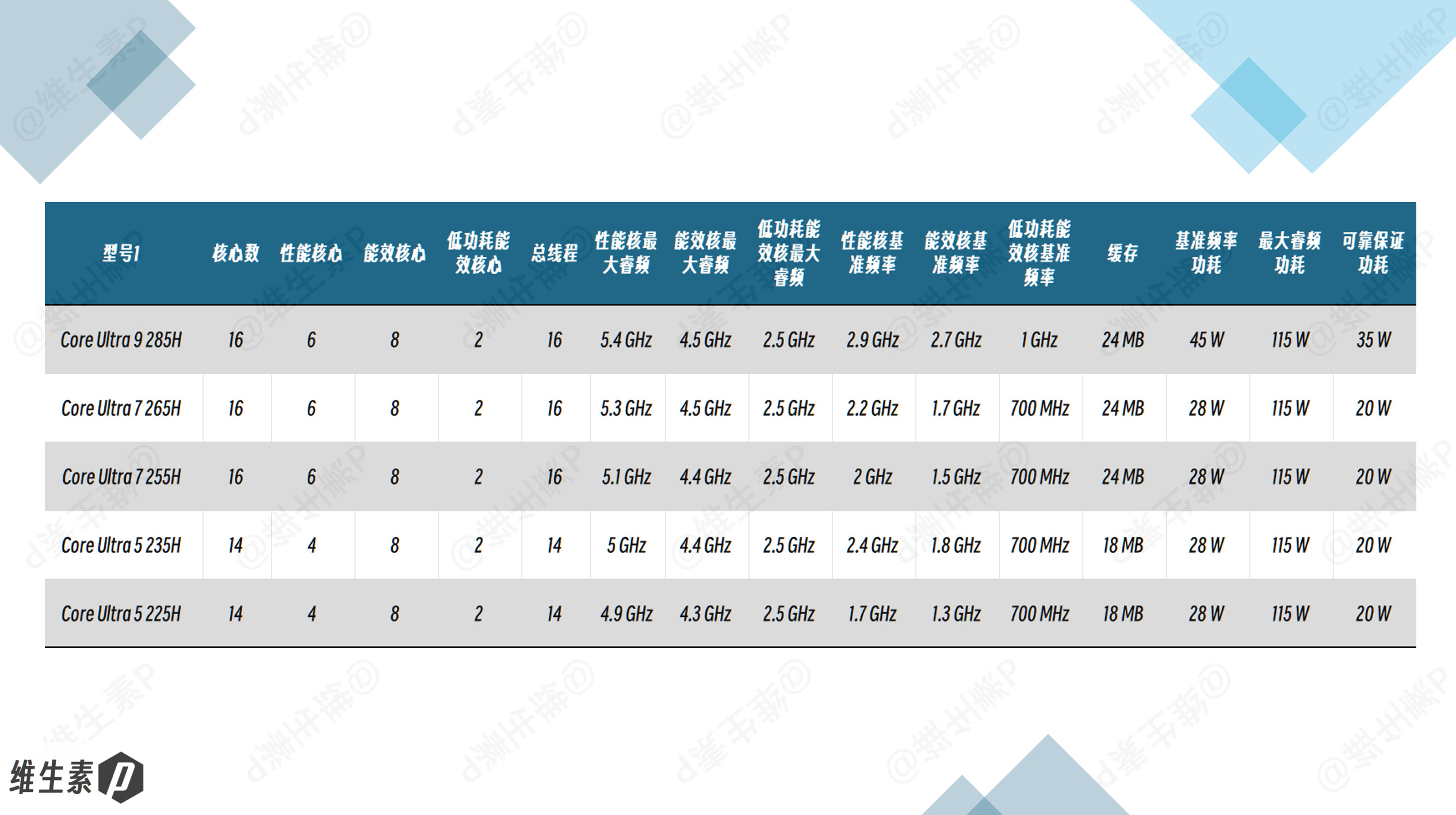
On the CPU side, the Ultra 9 285H and Ultra 7 255H share the same process node and the same 16-core (6P+8E+2LPE) architecture, so the difference is small.
The Ultra 9 285H's P-cores boost up to 5.4 GHz, 0.3 GHz higher than the Ultra 7 255H's 5.1 GHz; its E-cores boost to 4.5 GHz, 0.1 GHz higher than the U7, while the LP E-core frequencies are identical.
On the GPU side, it moves to the same Blackwell architecture as the RTX 50-series mobile consumer GPUs. The RT Cores and Tensor Cores have both advanced a generation over the previous Ada generation, delivering stronger AI performance, and it adopts new GDDR7 memory for a substantial jump in memory bandwidth.
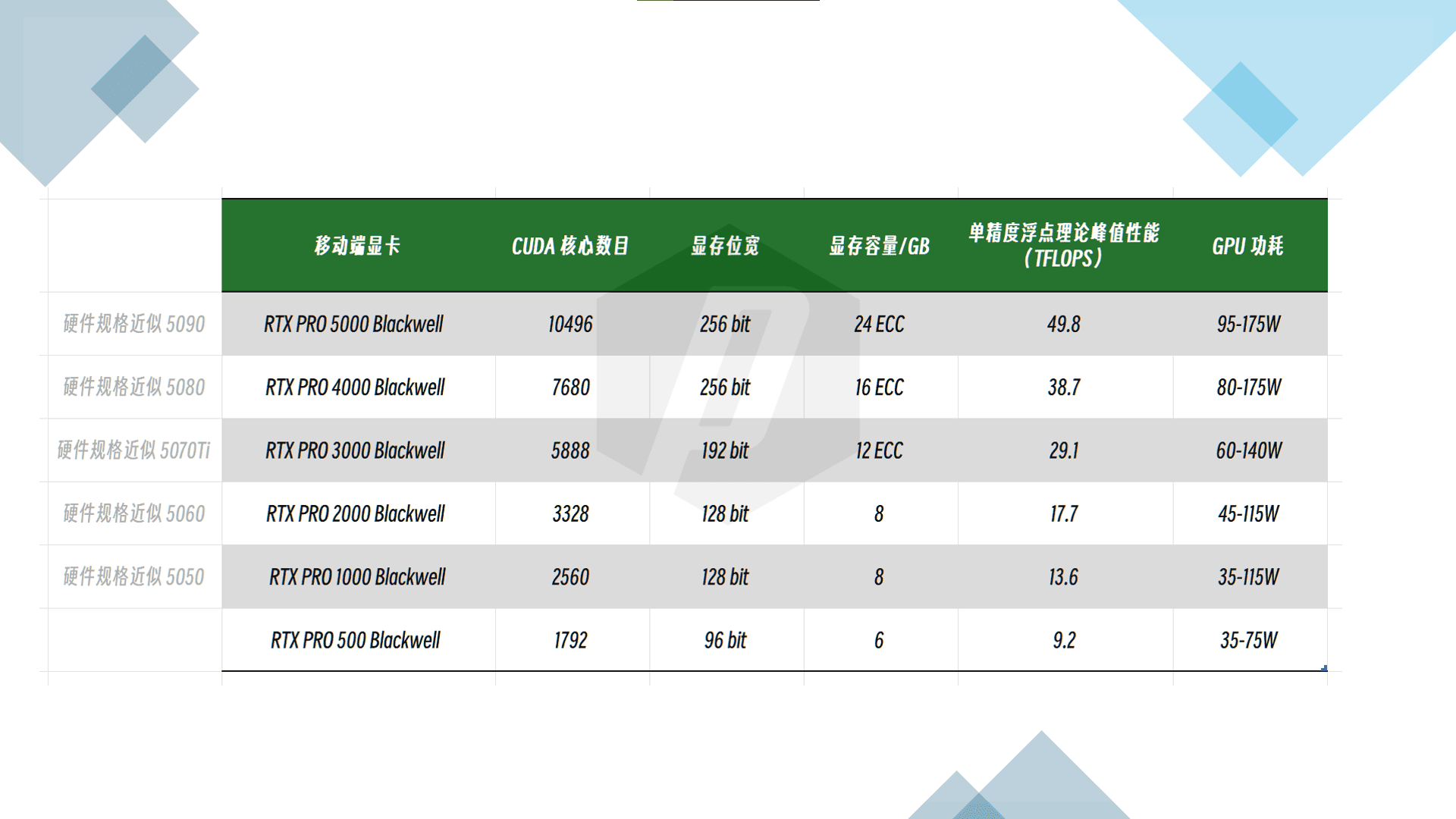
The RTX Pro 500 is unusual: it has 70% of the RTX Pro 1000's CUDA cores and 75% of its bus width and memory capacity.
ISV-certified professional GPUs are mainly about stability, memory reliability, and software-specific optimization and acceleration. Some organizations use professional software where compatibility is a concern — you can't just buy every tool on the market and install its massive package one by one to test them, that's far too much hassle. So if you need a certain level of GPU performance while also prioritizing the best compatibility and reliability, an ISV-certified workstation ensures those rendering previews, simulations, and other compute tasks run stably and efficiently — no fuss, and time saved. Time is money.
For the display, you either go for the 4K OLED touchscreen on the high-end configs, which has the same 3A coatings as the X1 Carbon — anti-glare (AG), anti-reflection (AR), and anti-smudge (AS) —
or you choose the purist's focused-work screen: a 1920 x 1200 FHD+ IPS 60 Hz panel with low blue light certification, built for distraction-free office work and low power consumption.
If you need multiple displays you can add an external monitor, and the truly forward-looking can even add a pair of smart glasses.
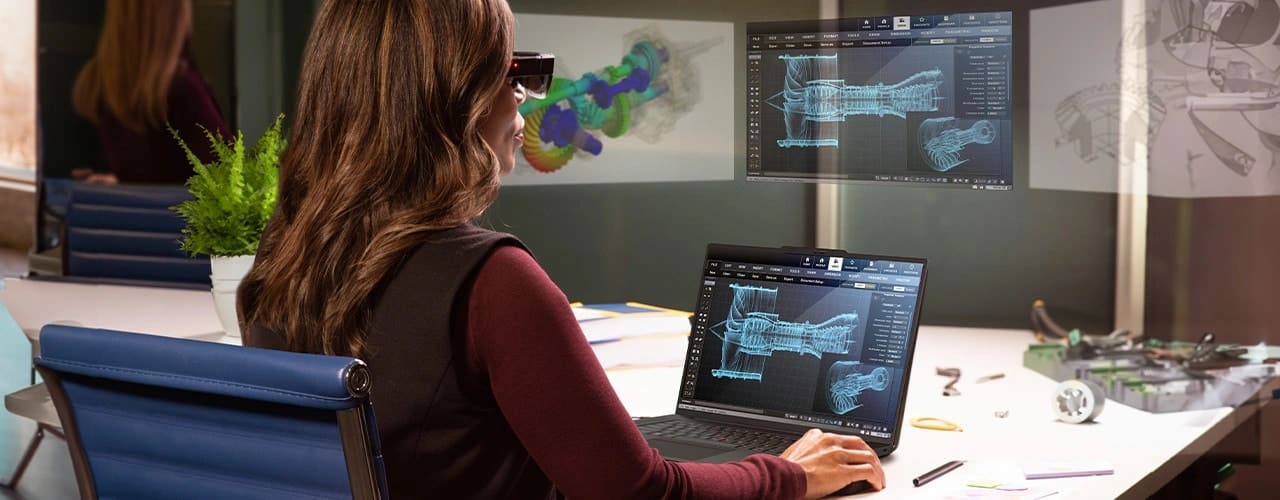
If you're buying personally, the price largely comes down to how much GPU performance you need. Keep in mind that this ThinkPad P16v 2025 (Gen3), as a mobile AI workstation, actually leans more toward all-round capability and portability.
So if you're not doing especially heavy workloads but still need the optimization and acceleration of an ISV-certified professional GPU, the RTX Pro 500 6 GB and RTX Pro 1000 8 GB configurations are worth a look.
If your budget is a bit tighter, the ThinkPad P16s with its smaller battery is another option.
As for those with deep pockets, where price is no object, the 4K flagship P16v also has meaningful upgrades:
- 64 GB of CSODIMM memory for greater stability, and higher memory speed at 6400 MT/s
- Storage upgraded to a 2 TB PCIe 5.0 TLC drive with better read/write performance
- A 3840 x 2400 4K OLED display with anti-glare, anti-reflection, and anti-smudge coatings, plus touch support
For corporate procurement, if there's a genuine need within budget, going for the high-end config is perfectly fine — you can also contact a ThinkPad business specialist to ask about additional service and support bundles.
More often than not, a ThinkPad you pull out of the bag proves to be a reliable workhorse.
Workplace impressions are subjective, but a person carrying a ThinkPad is, more often than not, also seen as someone who can be a reliable workhorse.
Configuration Overview
The ThinkPad P16v 2025 (Gen3) I received for this hands-on review has the following configuration; its global name is the Lenovo ThinkPad P16v Gen 3 (2025).
Overall, it's a good fit for a dependable professional who spends most of the time at a desk but occasionally needs portability, wants the TrackPoint keyboard, and values relative stability, reliability, and repairability.
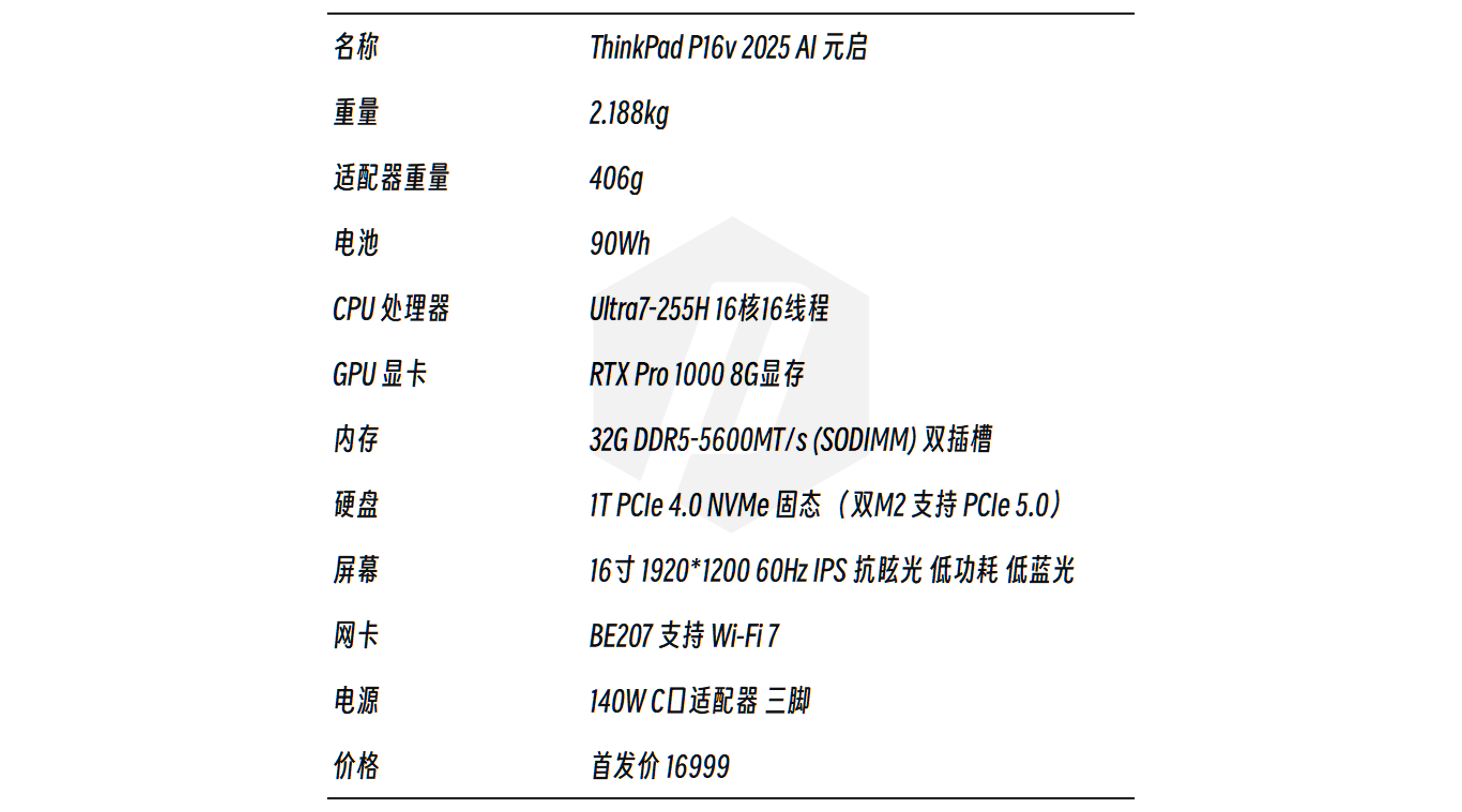
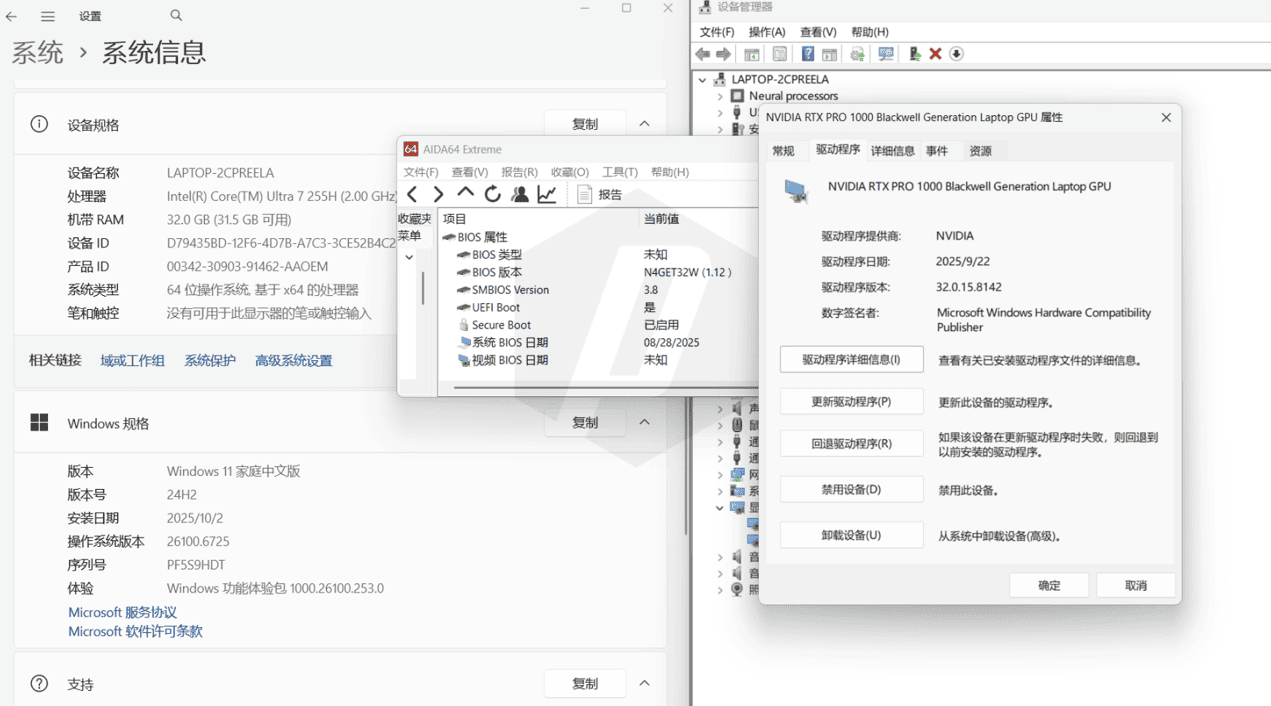
This review was conducted in October 2025, on Windows 11 Home build 26100.6725, BIOS version N4GET32W (1.12), and GPU driver version 32.0.15.8142.
AI & Professional Software Productivity Tests
As this is a workstation-class laptop, most people who buy one will be doing serious work with it.
So what kind of productivity performance does the 8 GB RTX Pro 1000 GPU deliver? Let's find out.
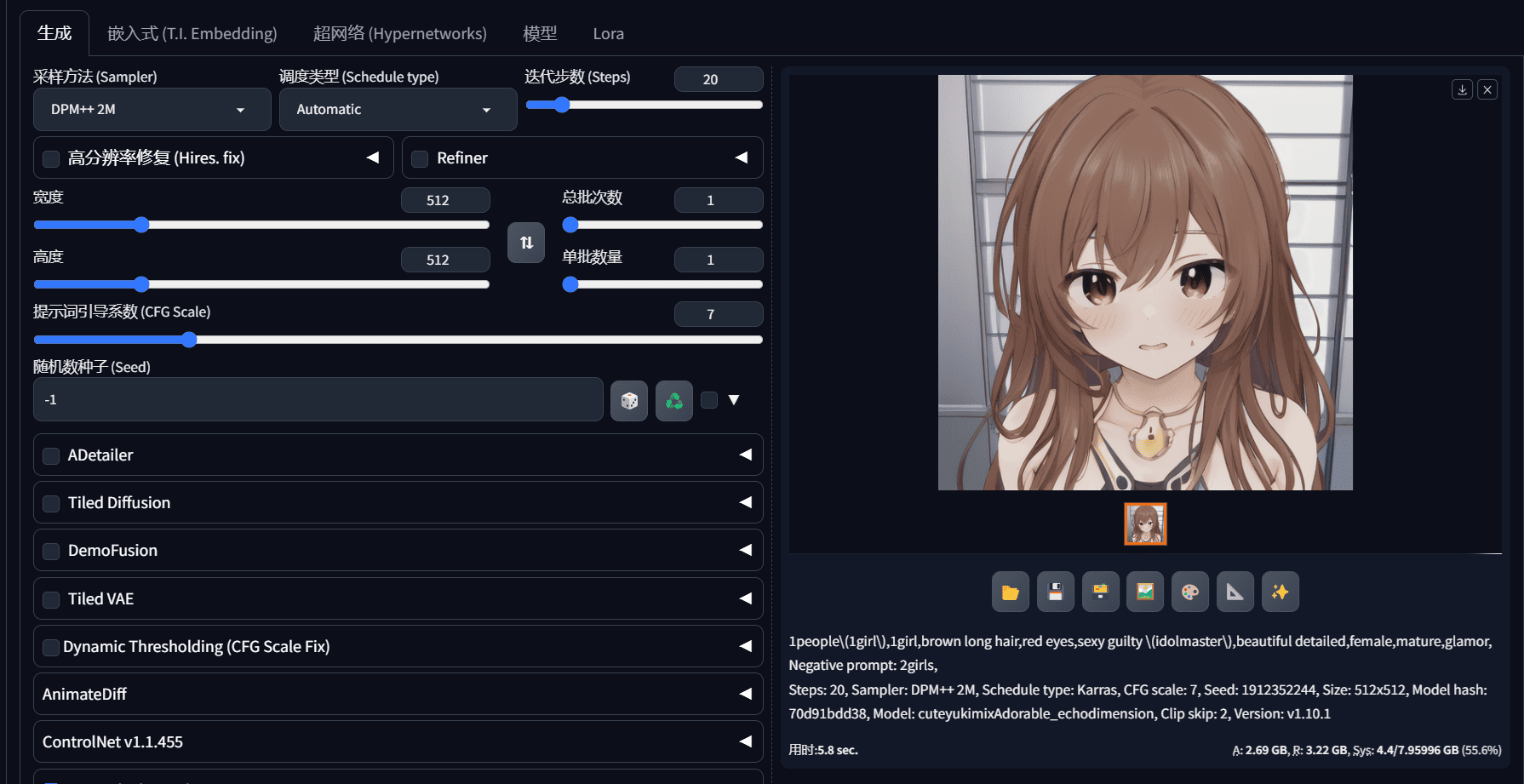
AI image generation is a staple of the new AI era. Using the Huishi 2.8.13 Stable Diffusion toolkit, with the VRAM optimization option set to 8 GB and above, Doggettx cross-attention optimization enabled, the cuteyukimixAdorable_echodimension model, the DPM++ 2M sampler, and 20 steps, the results are as follows:
| Resolution | VRAM Usage | GPU Power | GPU Temp / ℃ | Avg. Time per Image / s (24-image continuous test) |
|---|---|---|---|---|
| 512*512 | 3.7-5.6G | 60W | 60 - 65.9 | 3.83 |
| 1280*720 | 4.7-6.4G | 60W | 60 - 67.8 | 23.63 |
If you have security or privacy concerns, you'll likely want to run large language models locally.
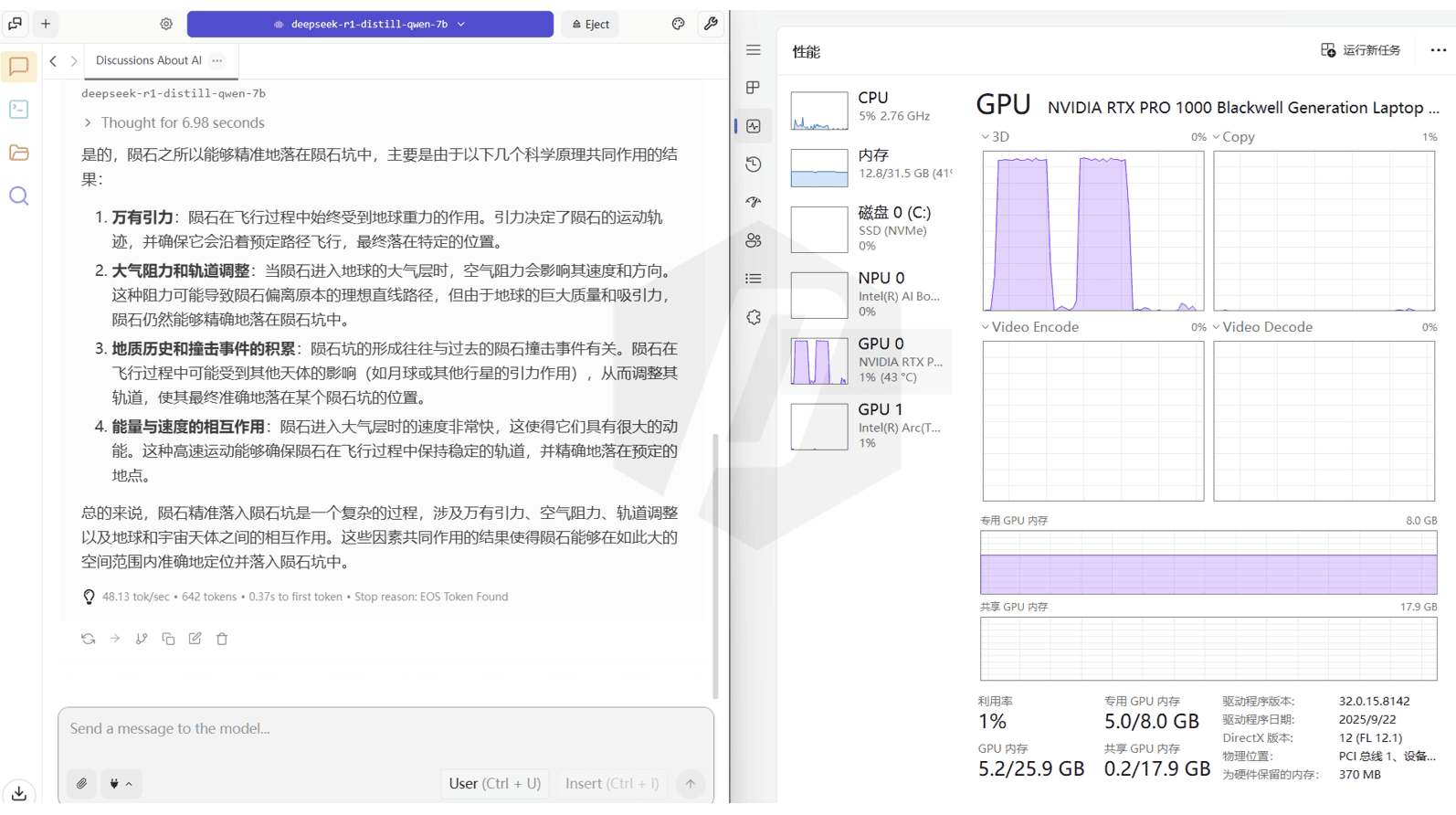
With the context length set to 2048 and a deliberately misleading question — "Why do meteorites always land precisely in meteorite craters?" — the measured local LLM inference speeds are as follows:
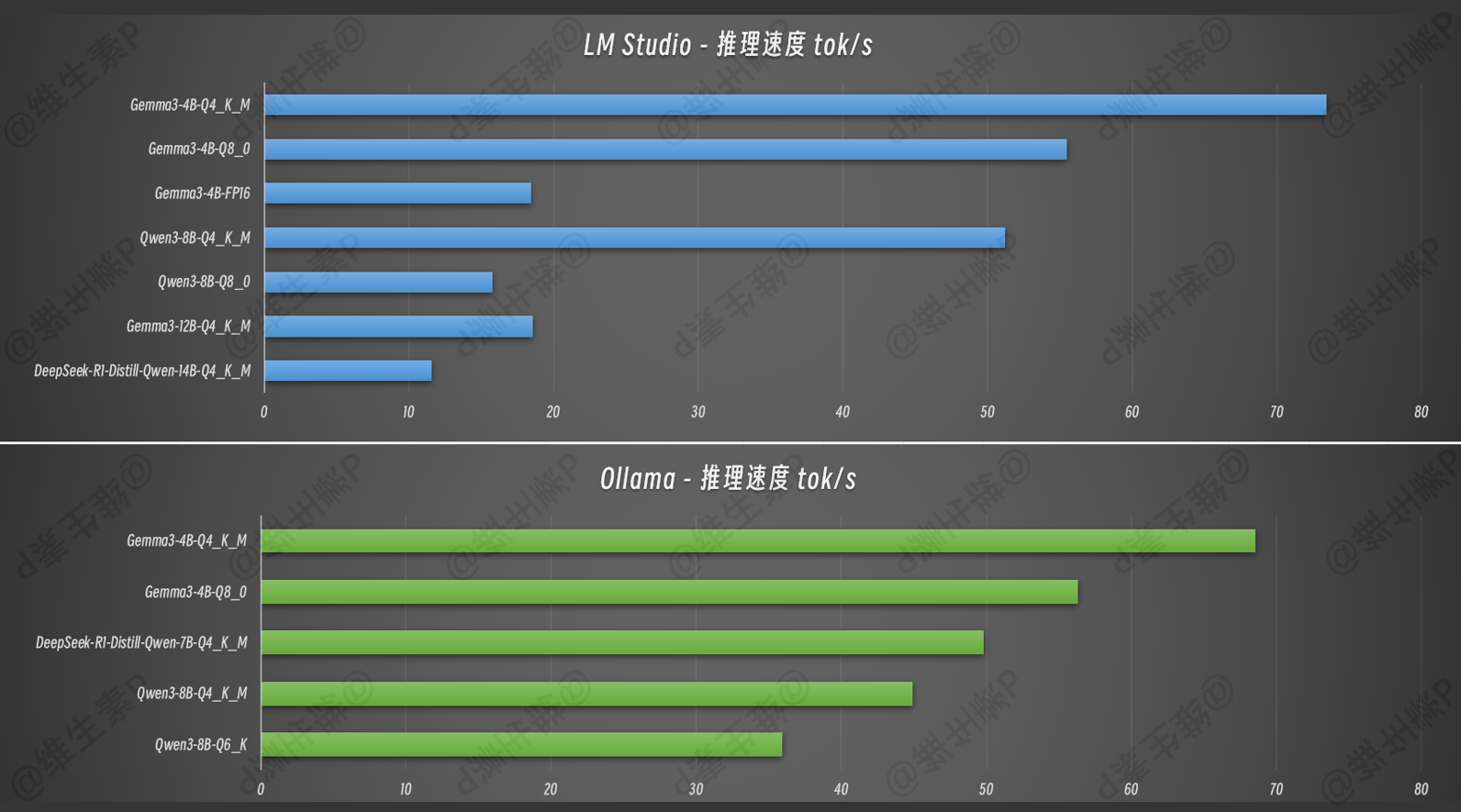
Every model in the table below sidestepped the misleading premise and gave a logically correct answer. If you choose models larger than 12B or higher-precision quantization, you'll need to balance the load between VRAM and system memory; for more demanding needs, consider a GPU configuration with more VRAM.
As a productivity tool, the ThinkPad P-series can run local models efficiently, ensuring proprietary algorithms, R&D data, and trade secrets never leave a controlled environment and eliminating the risk of sensitive data leaking through third-party cloud services. For companies that treat intellectual property as their lifeblood, this matters enormously.
With relevant plugins and a private knowledge base combined with RAG (Retrieval-Augmented Generation), you can further improve the accuracy and traceability of model answers.
| Model | Deployment | Params / B | Quantization | Inference Speed (tok/s) | Max VRAM Usage / G |
|---|---|---|---|---|---|
| Gemma3 | LM Studio | 4 | Q4_K_M | 68.54 | 5.6 |
| Gemma3 | LM Studio | 4 | Q8_0 | 56.34 | 7.1 |
| DeepSeek-R1-Distill-Qwen | LM Studio | 7 | Q4_K_M | 49.82 | 5.1 |
| Qwen3 | LM Studio | 8 | Q4_K_M | 44.94 | 5.9 |
| Qwen3 | LM Studio | 8 | Q6_K | 35.91 | 7.0 |
| Qwen3 | LM Studio | 8 | Q8_0 | 4.18 | 8.7 (partial RAM offload) |
| DeepSeek-R1-Distill-Qwen | LM Studio | 14 | Q4_K_M | 2.31 | 8.9 (partial RAM offload) |
| Gemma3 | Ollama | 4 | Q4_K_M | 73.43 | 4.9 |
| Gemma3 | Ollama | 4 | Q8_0 | 55.45 | 6.4 |
| Gemma3 | Ollama | 4 | FP16 | 18.45 | 6.5 |
| Qwen3 | Ollama | 8 | Q4_K_M | 51.22 | 5.9 |
| Qwen3 | Ollama | 8 | Q8_0 | 15.8 | 10.1 (partial RAM offload) |
| Gemma3 | Ollama | 12 | Q4_K_M | 18.56 | 7.4 |
| DeepSeek-R1-Distill-Qwen | Ollama | 14 | Q4_K_M | 11.57 | 10.4 (partial RAM offload) |
(Note: Ollama version 0.12.5, LM Studio version 0.3.30 with Beta CUDA v1.52.1, context length 2048. Speed and VRAM usage vary dynamically with content, context length, and parameters; speed fluctuates by roughly 2-5%.)
The GPU clearly boosts LLM performance: a 7B-class Q4 model runs at around 50 tok/s, roughly 2.5x the speed of a typical thin-and-light's integrated graphics.
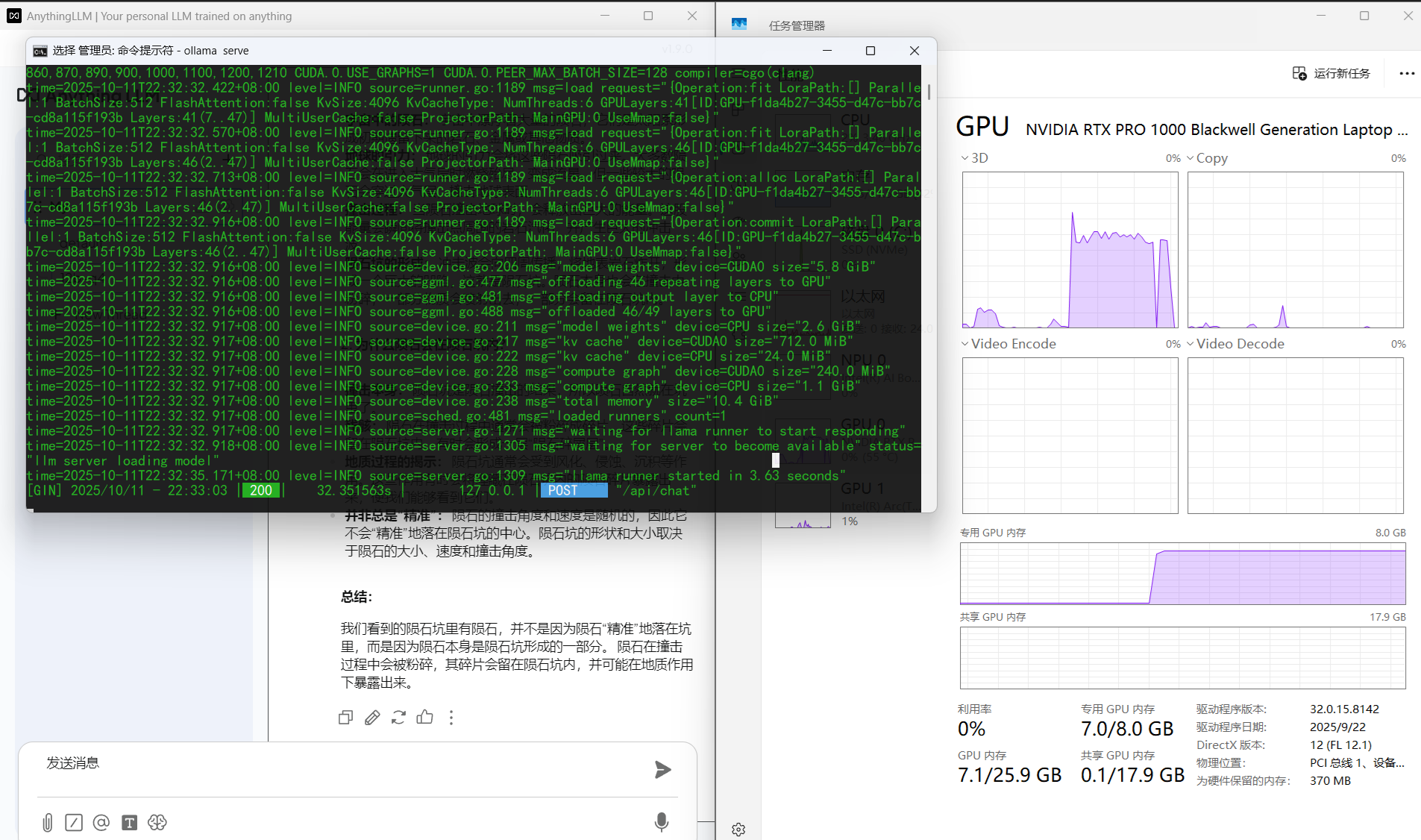
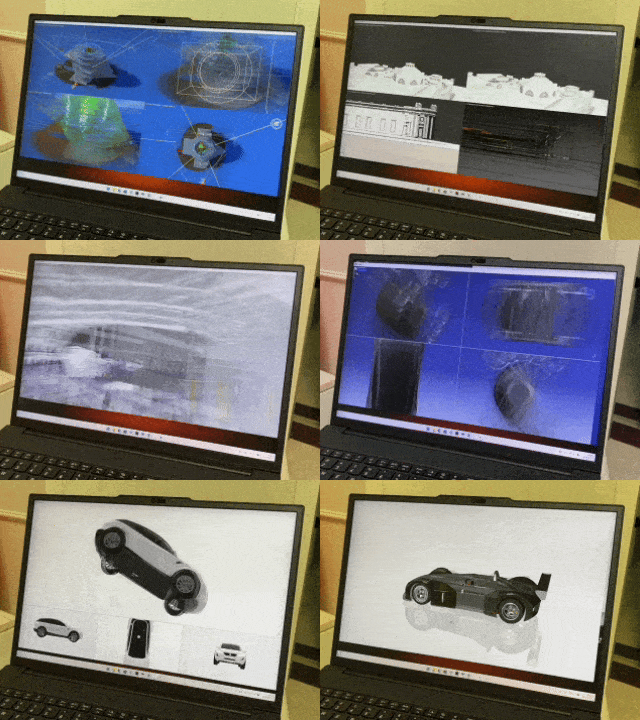
For mainstream industrial software, I used SPECviewperf 2020 for testing.
It simulates real operations in mainstream engineering software and measures FPS to quantify how smoothly the machine handles complex 3D models. The test items are listed in the table below.
| Test Code | Simulated Software | Core Focus | Typical Use Case |
|---|---|---|---|
| 3dsmax-07 | Autodesk 3ds Max | Multi-viewport rendering of complex scenes, various materials and display modes | Architectural visualization, film/animation, game asset creation |
| catia-06 | Dassault Systèmes CATIA V5 / 3DEXPERIENCE CATIA | Real-time rotation and zoom of large assemblies (e.g. aircraft engines, cars) | Complex surface and digital mock-up design in aerospace and automotive |
| creo-03 | PTC Creo | Parametric modeling and rendering of large parts (20-48 million vertices) | Mechanical design, product manufacturing |
| energy-03 | OpendTect | Volume rendering and slice analysis of seismic survey data | Geodata visualization for oil and gas exploration |
| maya-06 | Autodesk Maya | Real-time preview and manipulation of character animation and VFX scenes | Film VFX, advanced 3D animation |
| medical-03 | ImageVis3D | Volume rendering and 3D reconstruction of medical imaging (CT, MRI) | Medical diagnosis, surgical planning |
| snx-04 | NX 8.0 / Siemens NX | Wireframe, shaded, and studio modes for complex product engineering | Precision manufacturing, digital product development |
| solidworks-06 | SolidWorks | Mechanical part and assembly design, ambient occlusion, real-time shadows | Industrial equipment, consumer product design |
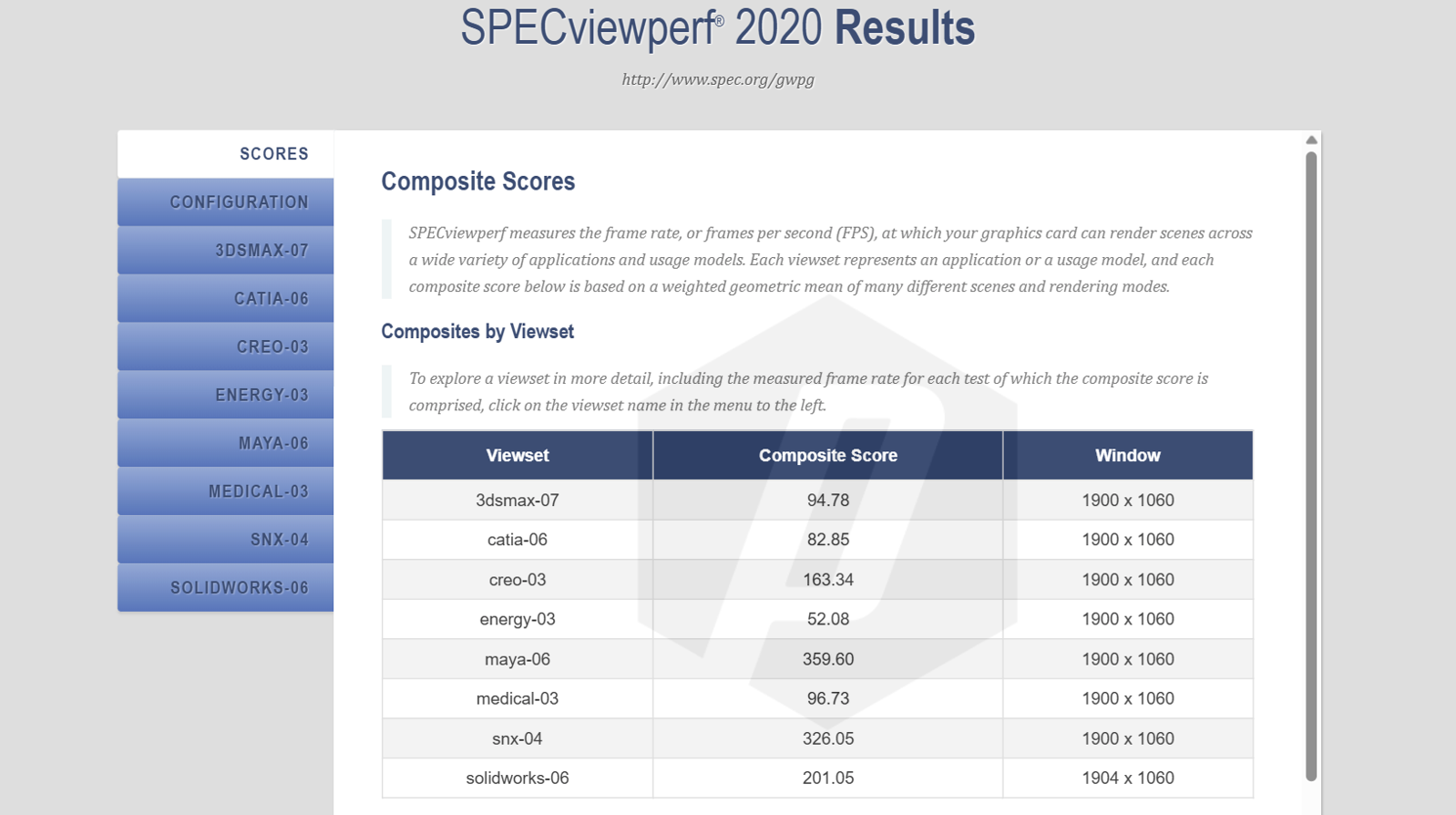
Looking at the results, some of these tests benefit from software optimization and actually hold an advantage over an RTX 5050 gaming laptop.
The bigger advantage of the RTX Pro series is eliminating crashes, display errors, or computational deviations caused by driver incompatibility. For users running multi-hour renders or complex simulations, this kind of rock-solid stability matters far more than a marginal bump in peak performance.
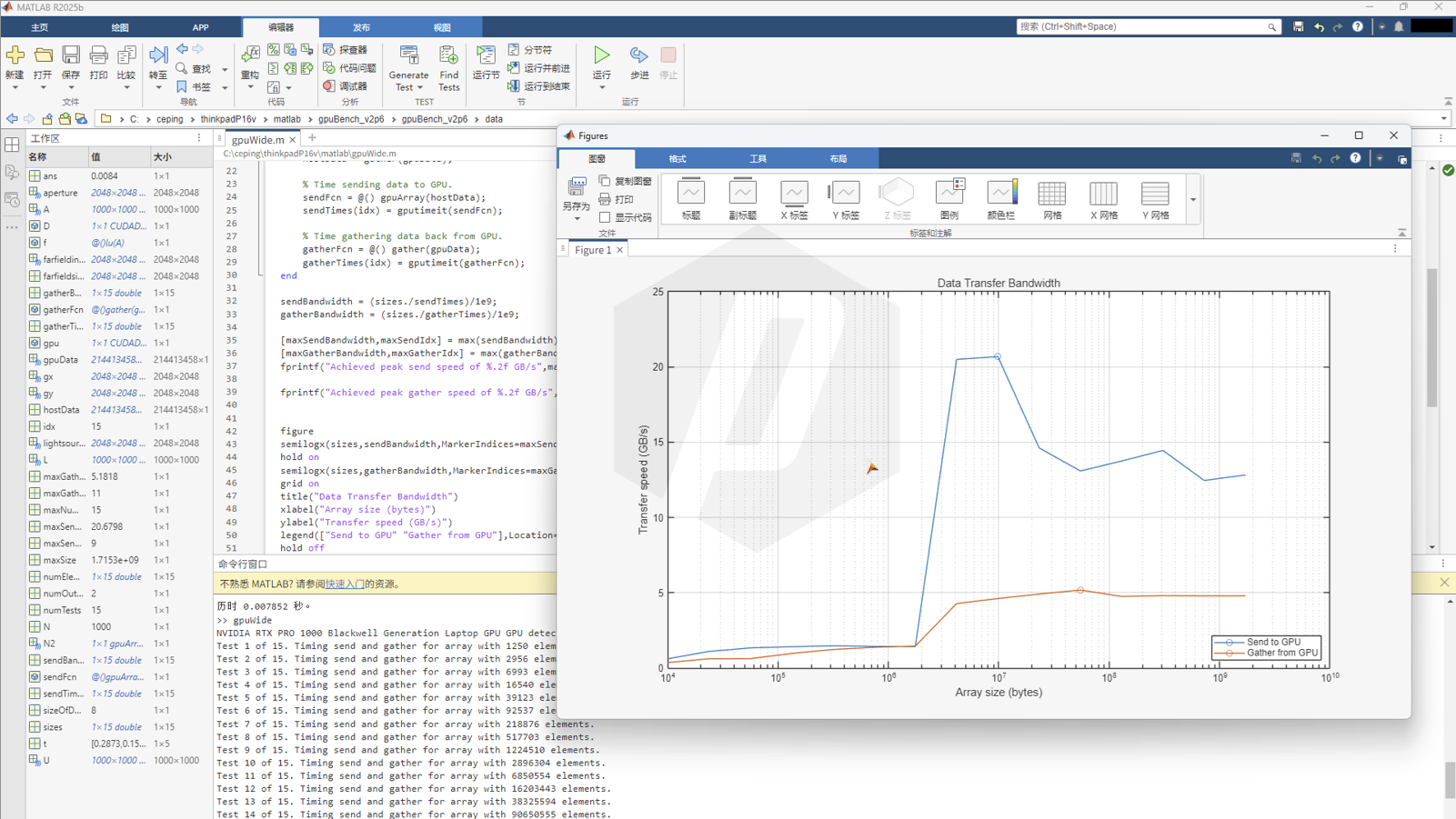
Engineering labs and researchers also frequently use MATLAB. Using the latest MATLAB R2025b, I ran a GPU bandwidth test on the mobile RTX Pro 1000, with results shown below. In practice, you can size your arrays according to this curve and apply divide-and-conquer as needed.
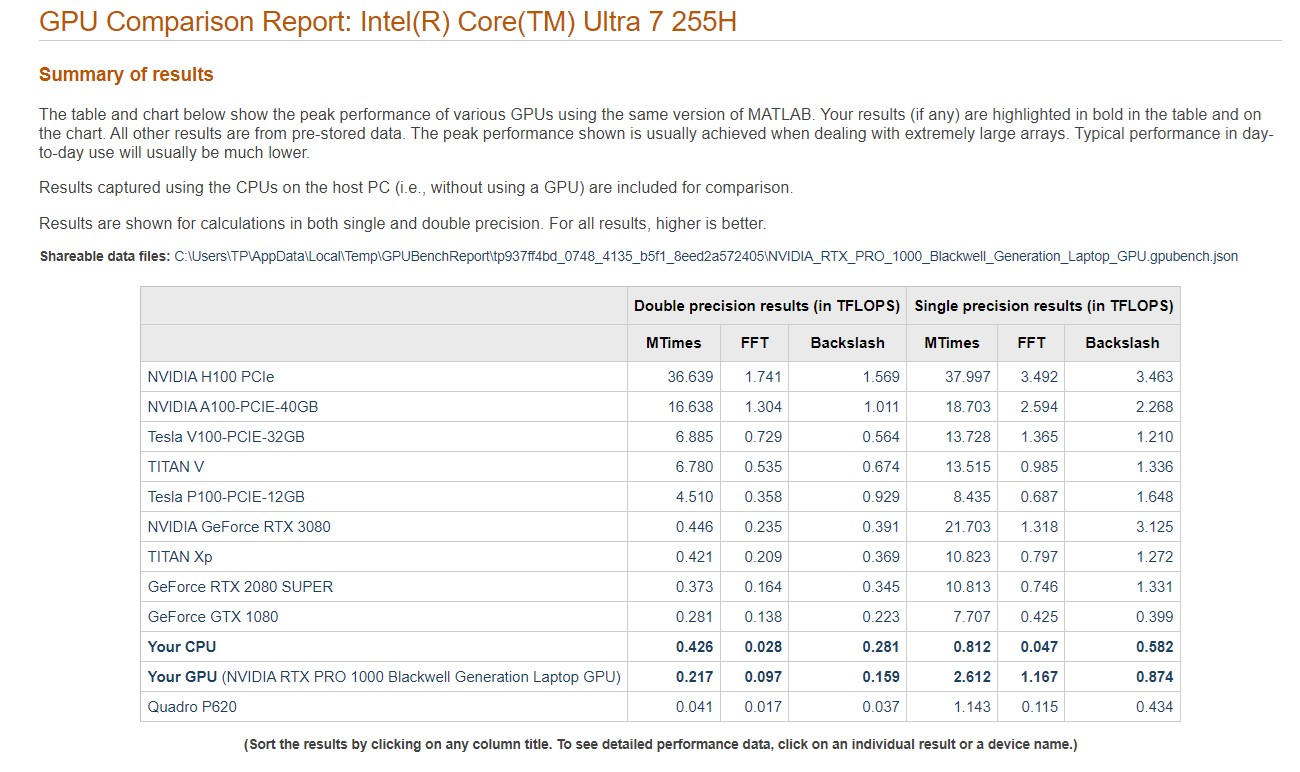
Using the MATLAB community "GPUBench" v2.6.1, the measured single- and double-precision TFLOPS results within MATLAB are shown below.
【Matlab】 Matlab Central - File Exchange - 34080 - GPU Bench
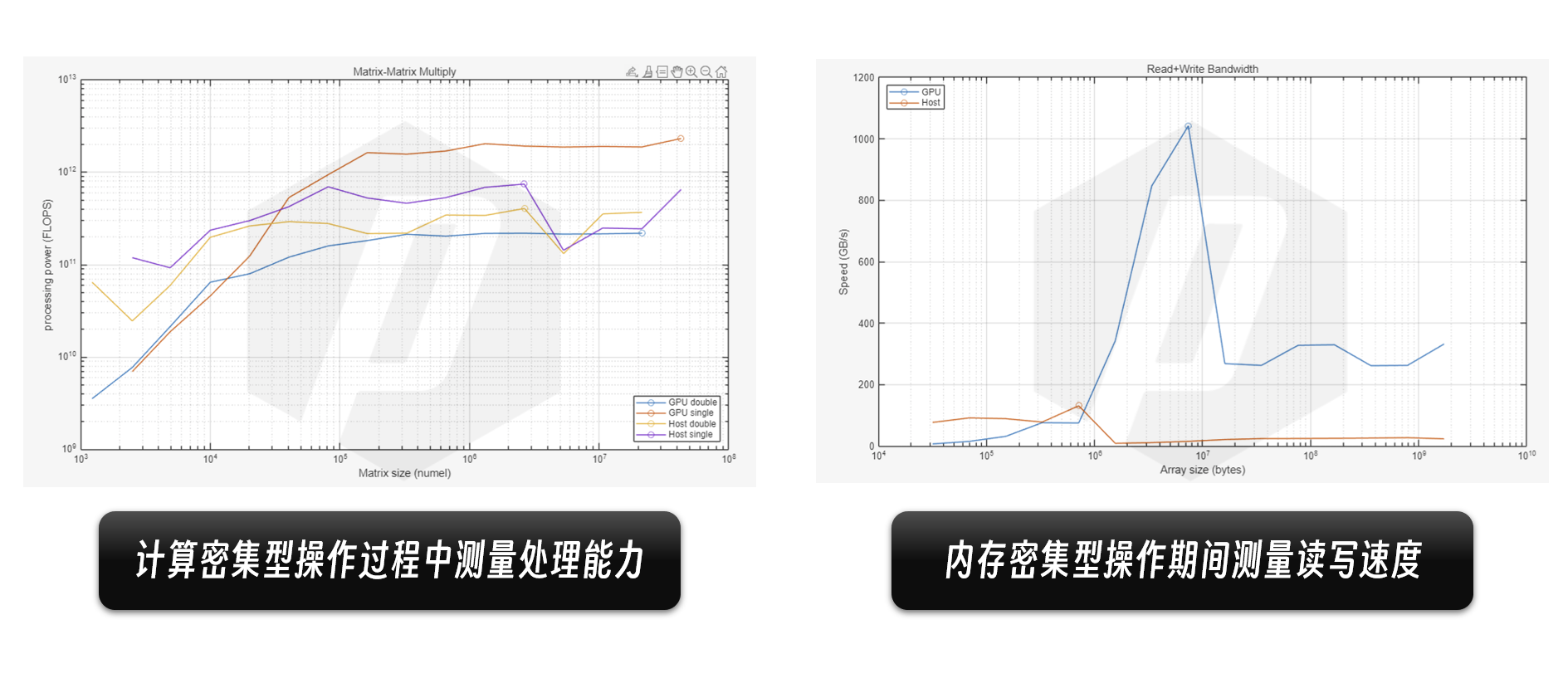
Following MATLAB's official example code, two scripts measure processing power during compute-intensive operations and read/write speed during memory-intensive operations; the resulting curves are shown below.
These results across AI, industrial simulation, and scientific computing all point to one core principle: a workstation is, first and foremost, for work.
The value of the ThinkPad P-series lies in professional work and in not having to fuss — it is a workstation, a station for work, a cornerstone of mobile productivity. It prioritizes stability, keeping cool, and not crashing drivers; it may not be the absolute performance king, but it knows stability better than most, and knows how to reliably turn performance into professional productivity.
All these tests were conducted from a workstation user's perspective, to show what kind of needs this ThinkPad P16v best suits. Testing was no small effort on my part — if you found this helpful, please hit follow, upvote, and bookmark. Questions? Come discuss them in the comments!
Design & Ports
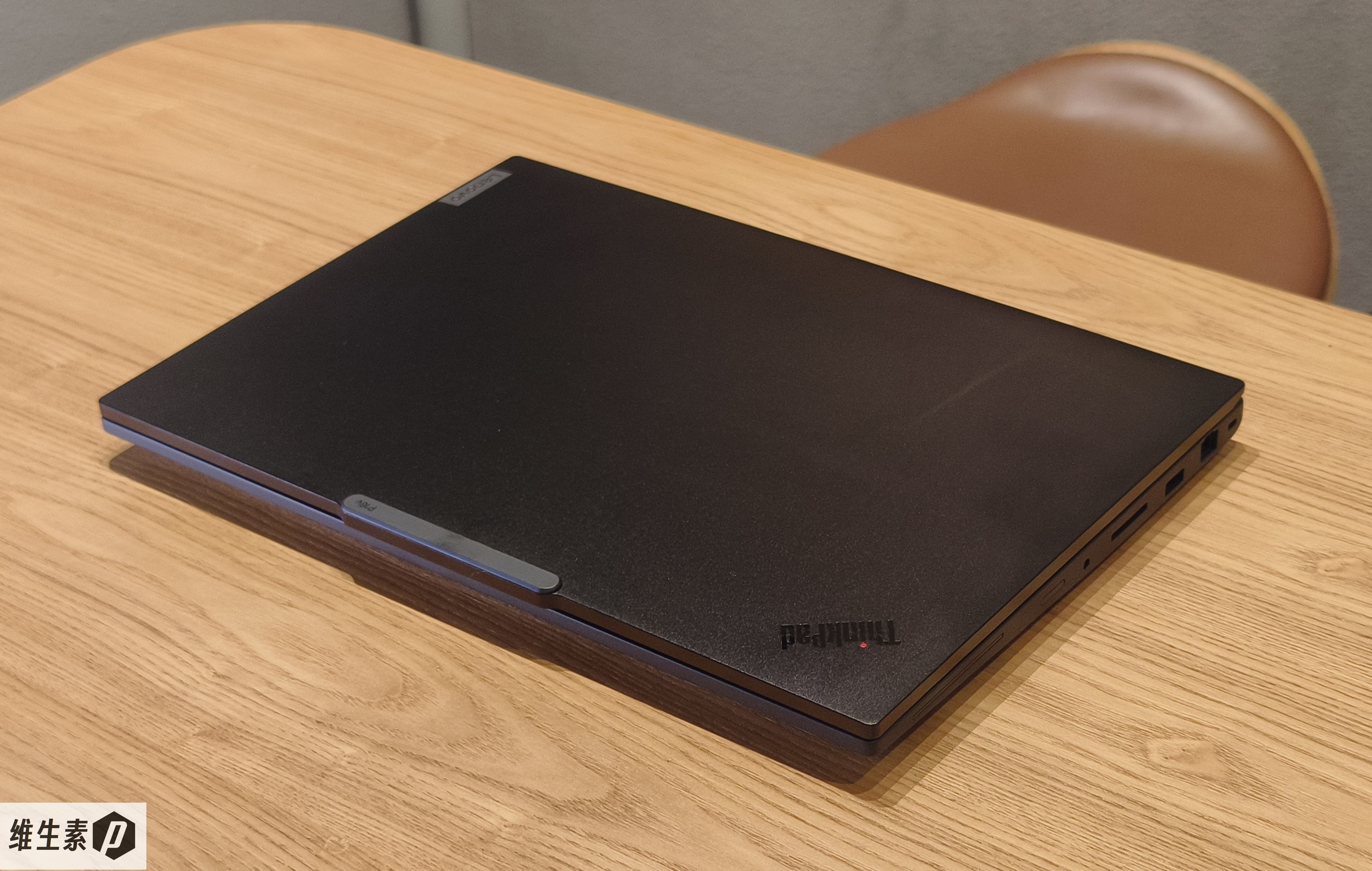
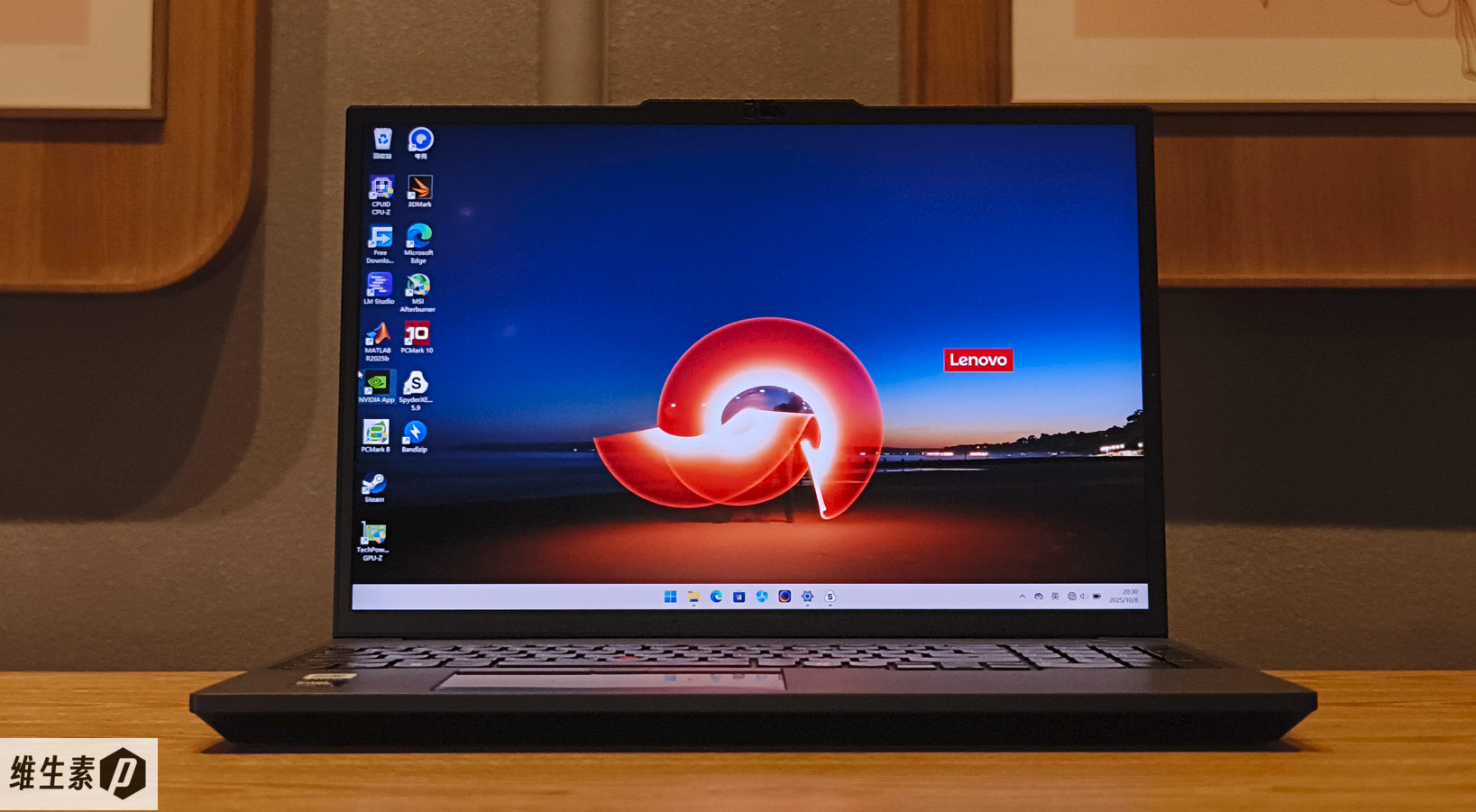
The ThinkPad P16v 2025 (Gen3) still wears the classic black suit. The lid is metal, the ThinkPad logo sits in its classic spot, the Lenovo logo remains, and the TrackPoint status light glows after boot.
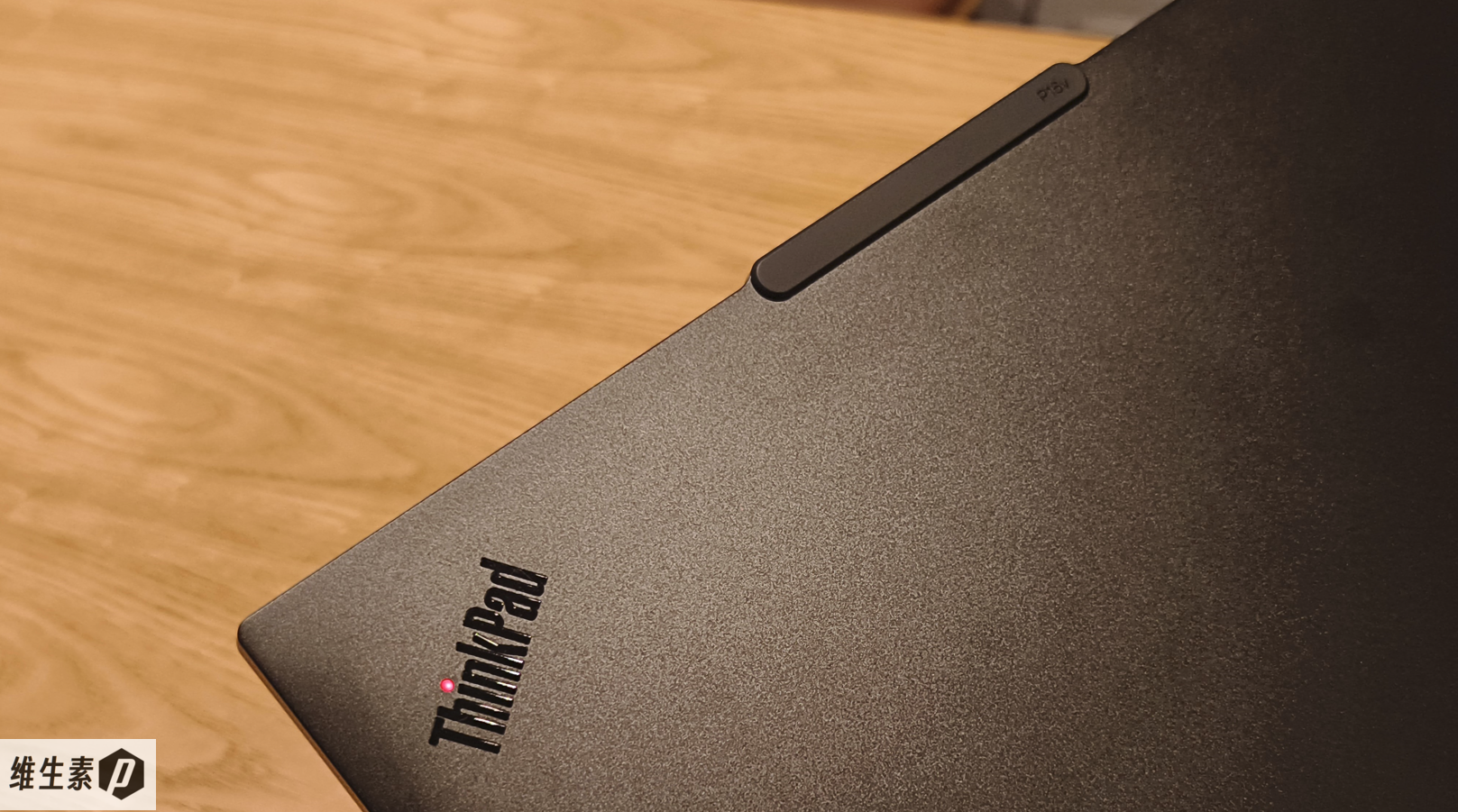
Along the top edge is a raised island-style rounded deco strip — what netizens call the "notch" — with "P16v" printed in small text on the right.
The metal body clearly improves the feel under light, though the metal lid picks up fingerprints and skin oils easily and needs frequent wiping.
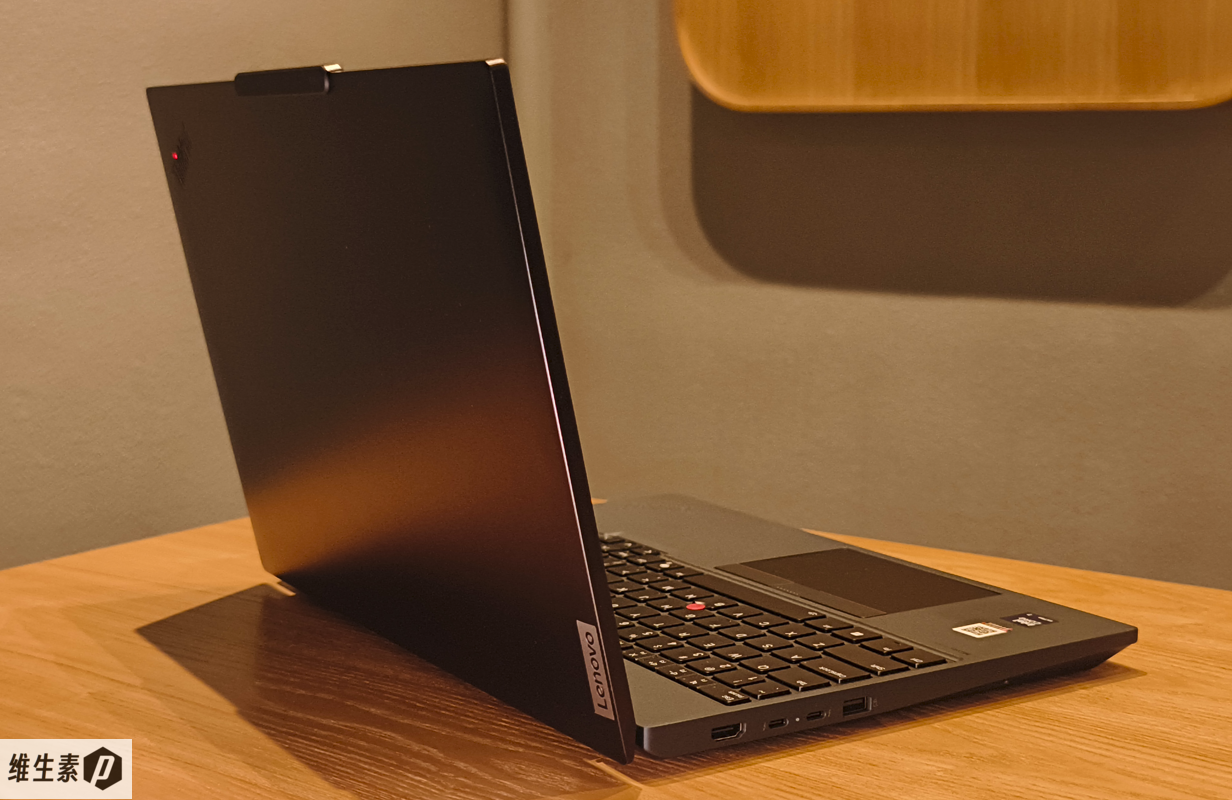
The lid opens a full 180 degrees. There's a separate power button with a power indicator, and the power button has an integrated fingerprint reader.
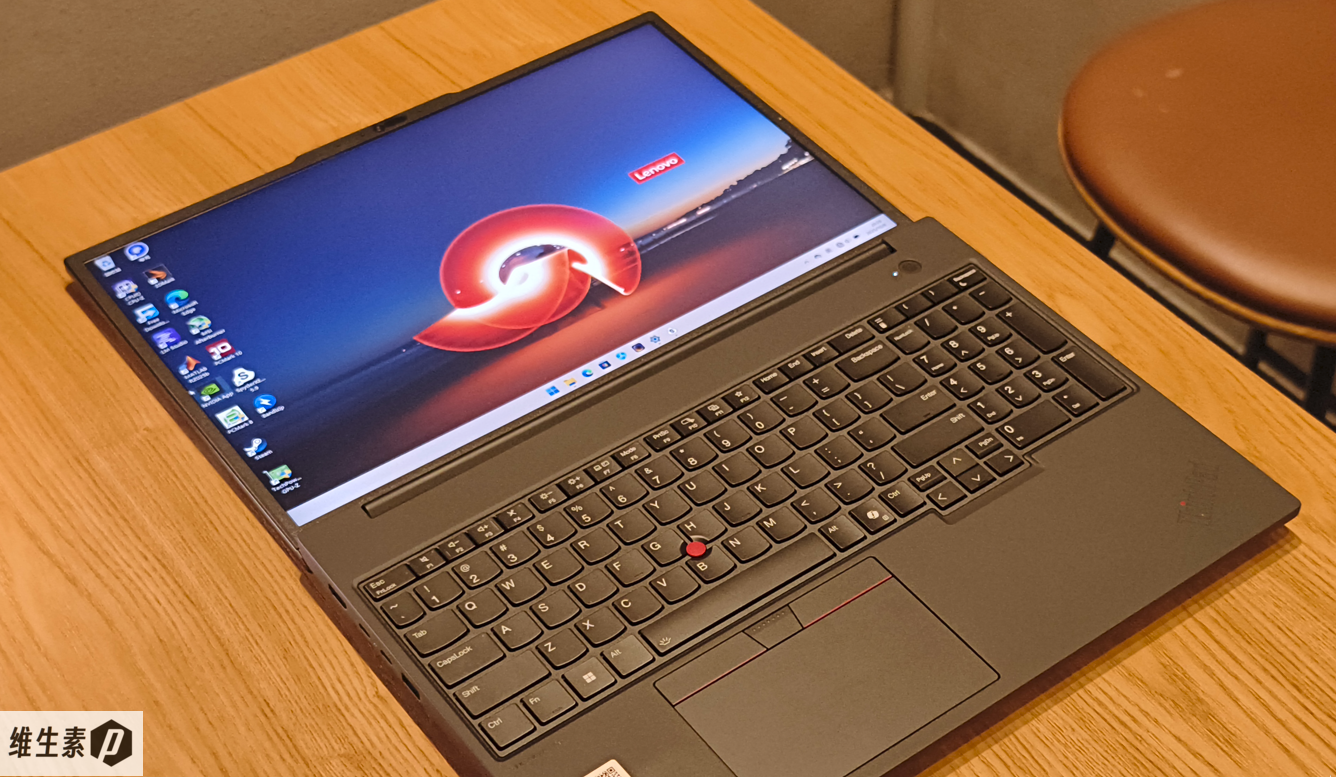
There's a numeric keypad on the right of the keyboard, and the arrow keys are thoughtfully laid out and comfortable.
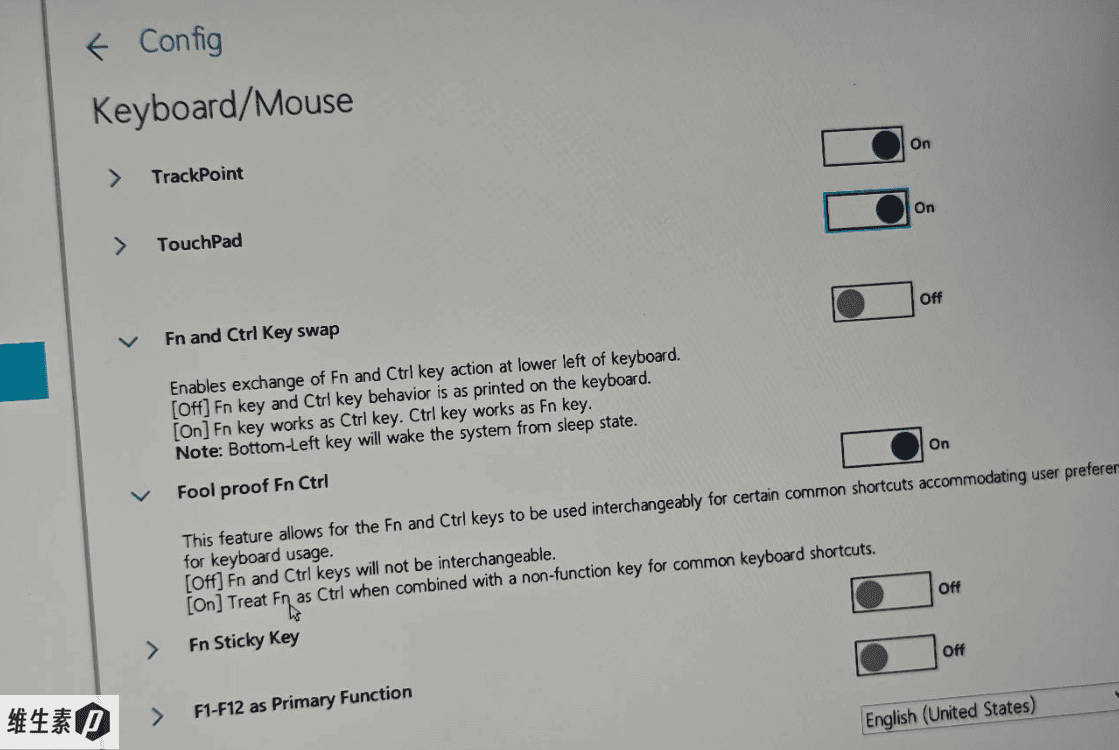
The bottom-left key is Ctrl, with Fn to its right; if that's not to your liking you can swap them in the BIOS. The TrackPoint can also be enabled or disabled (on by default).
The ThinkPad's keyboard is still among the best on any laptop today: responsive rebound, 1.5 mm key travel, smile-curve concave keycaps, and white backlighting.
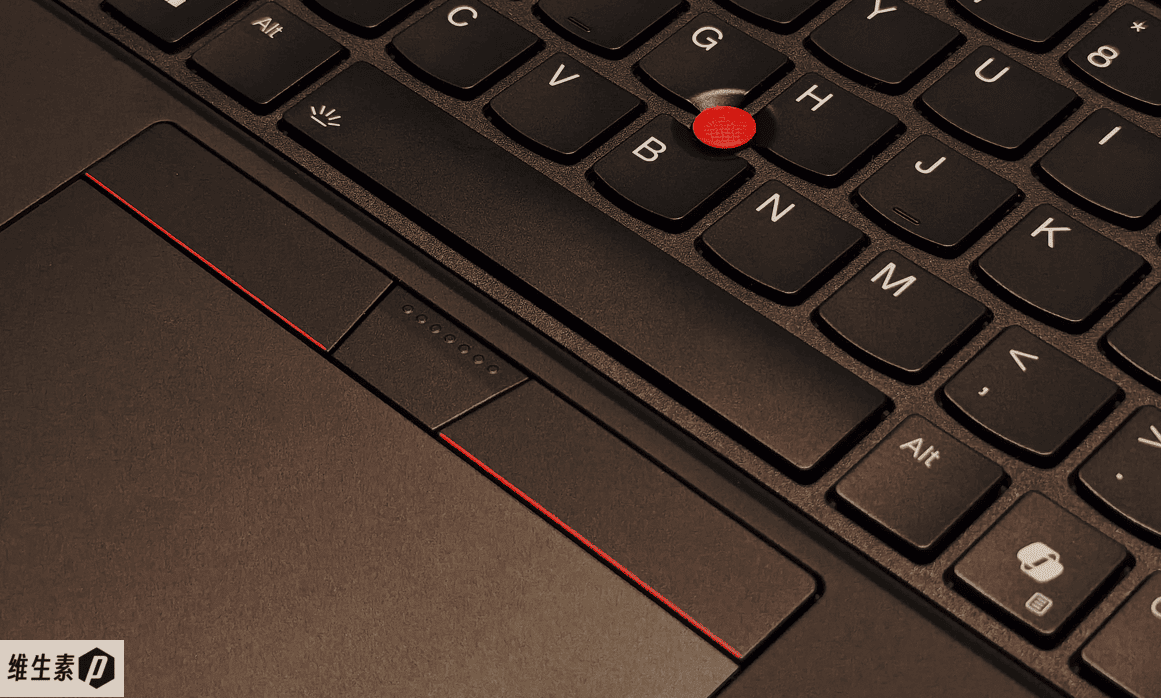
The TrackPoint and its three buttons have a normal, unremarkable feel; the touchpad clicks softly and steadily, and finger tracking is very smooth.
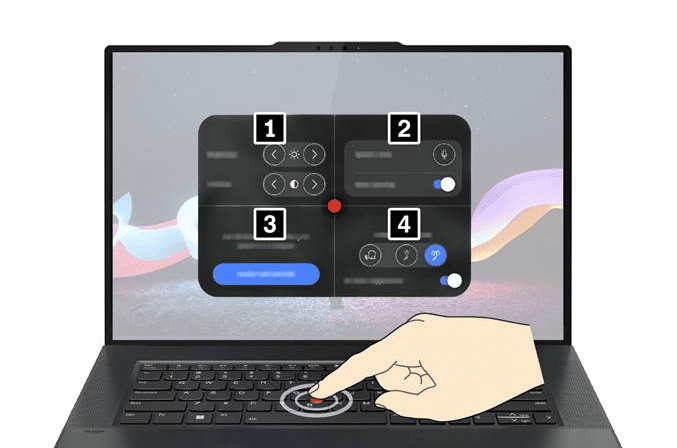
Double-tapping the TrackPoint brings up a quick-settings menu where you can customize shortcuts.
The bottom cover has a classic texture that adds grip and prevents slipping.
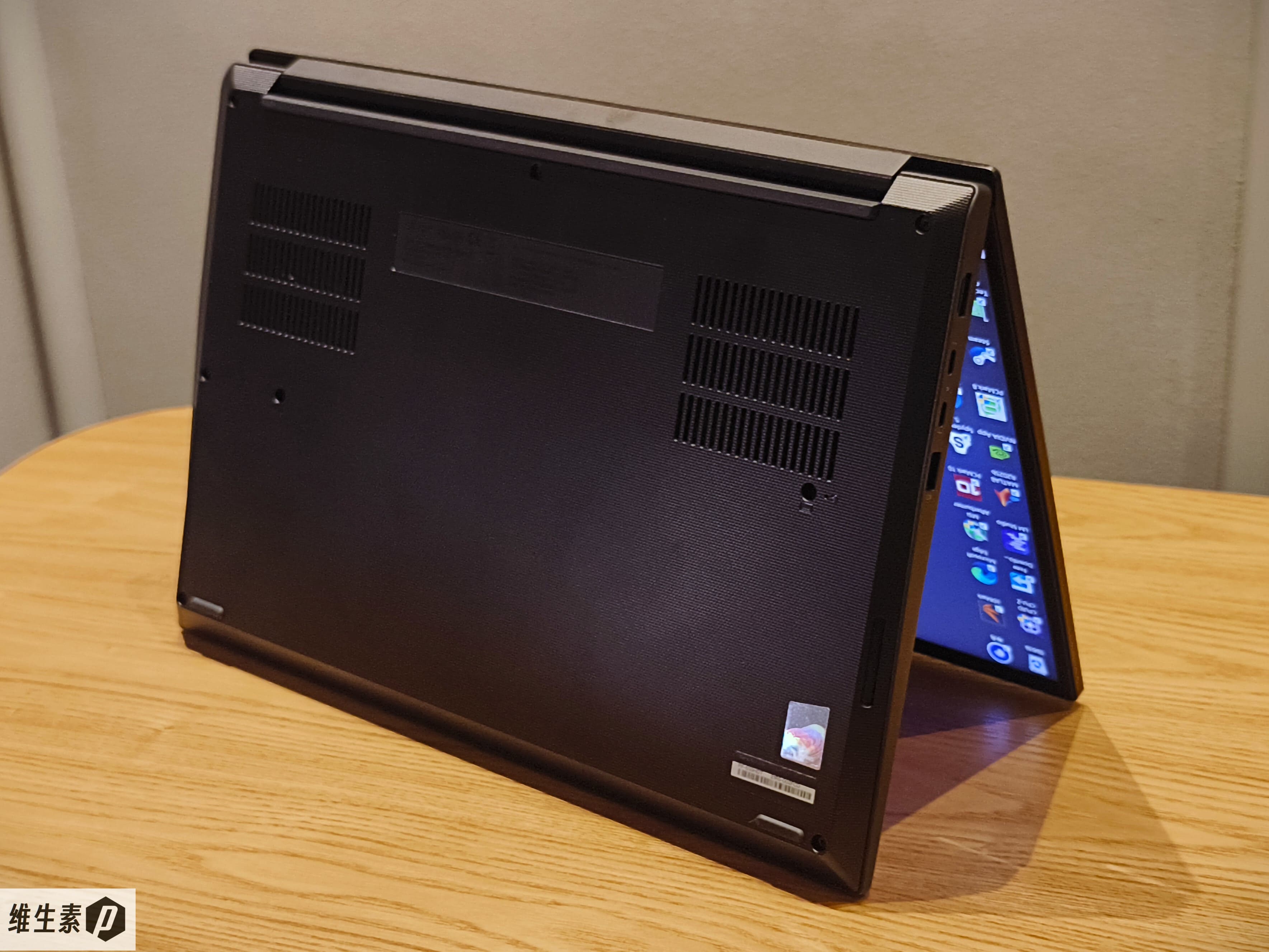
The air intake is a rectangle formed by three grille strips, positioned directly over the two cooling fans' intakes.
The sides have a wedge-shaped chamfer that makes the machine look thinner than it is.
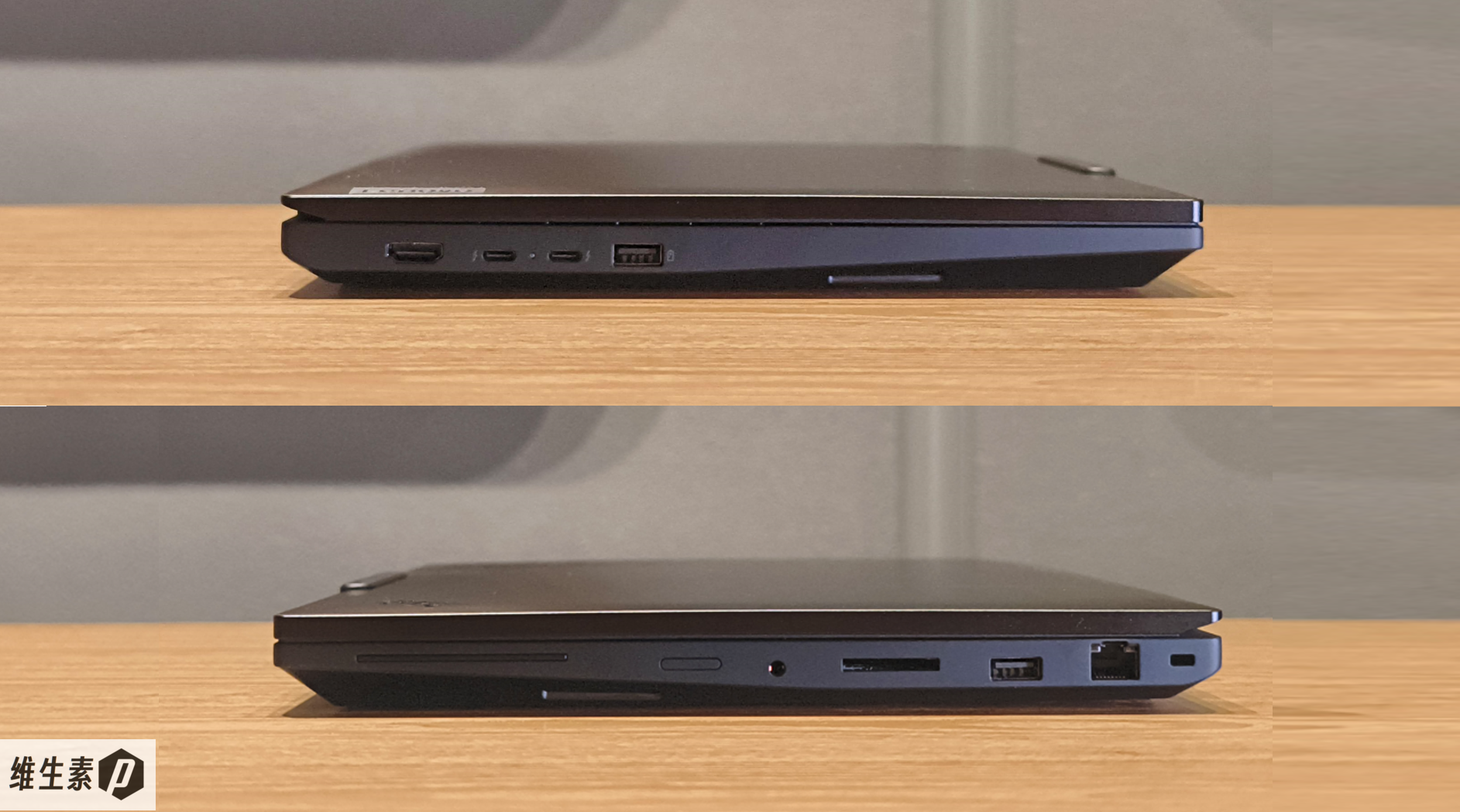
Ports come to 2x USB-A and 2x USB-C, and the 140 W PD 3.1 fast charging runs straight over USB-C.
On the left: one HDMI 2.1 port, two Thunderbolt 4 ports, and one USB-A 3.2 Gen 2 port.
On the right: a headset jack, an SD Express 7.0 card reader, one USB-A 3.2 Gen 2 port, and an RJ45 Ethernet port.
Display
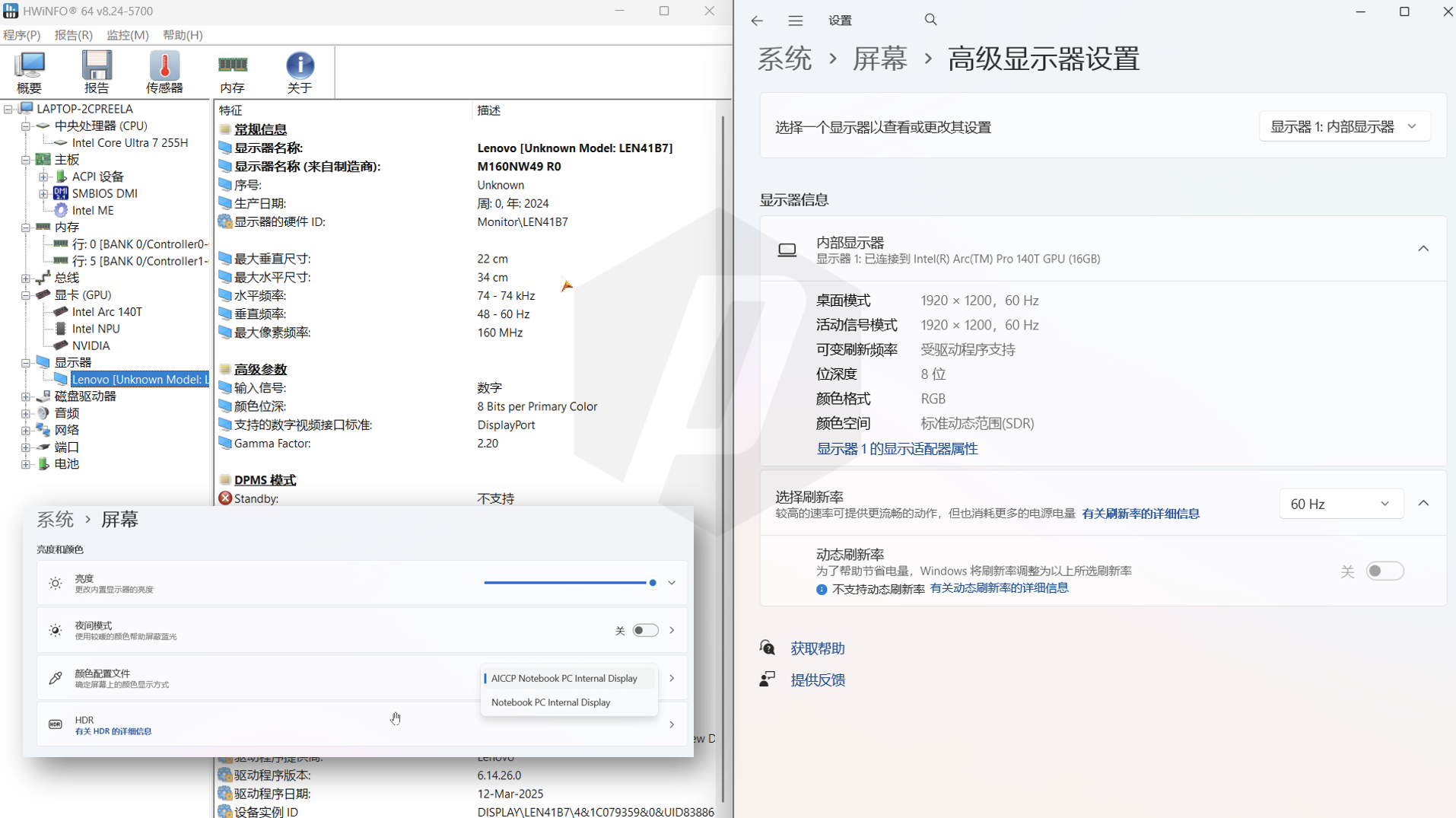
The panel is likely sourced from IVO (Longteng), with a resolution of 1920 x 1200, a 16:10 aspect ratio, and a 60 Hz refresh rate.
Windows reports that dynamic refresh rate isn't supported, yet it also shows variable refresh rate as driver-supported — a little odd. In the display settings you can choose between two color profiles; AICCP stands for Adaptive International Color Consortium Profile, i.e. an adaptive ICC color profile.
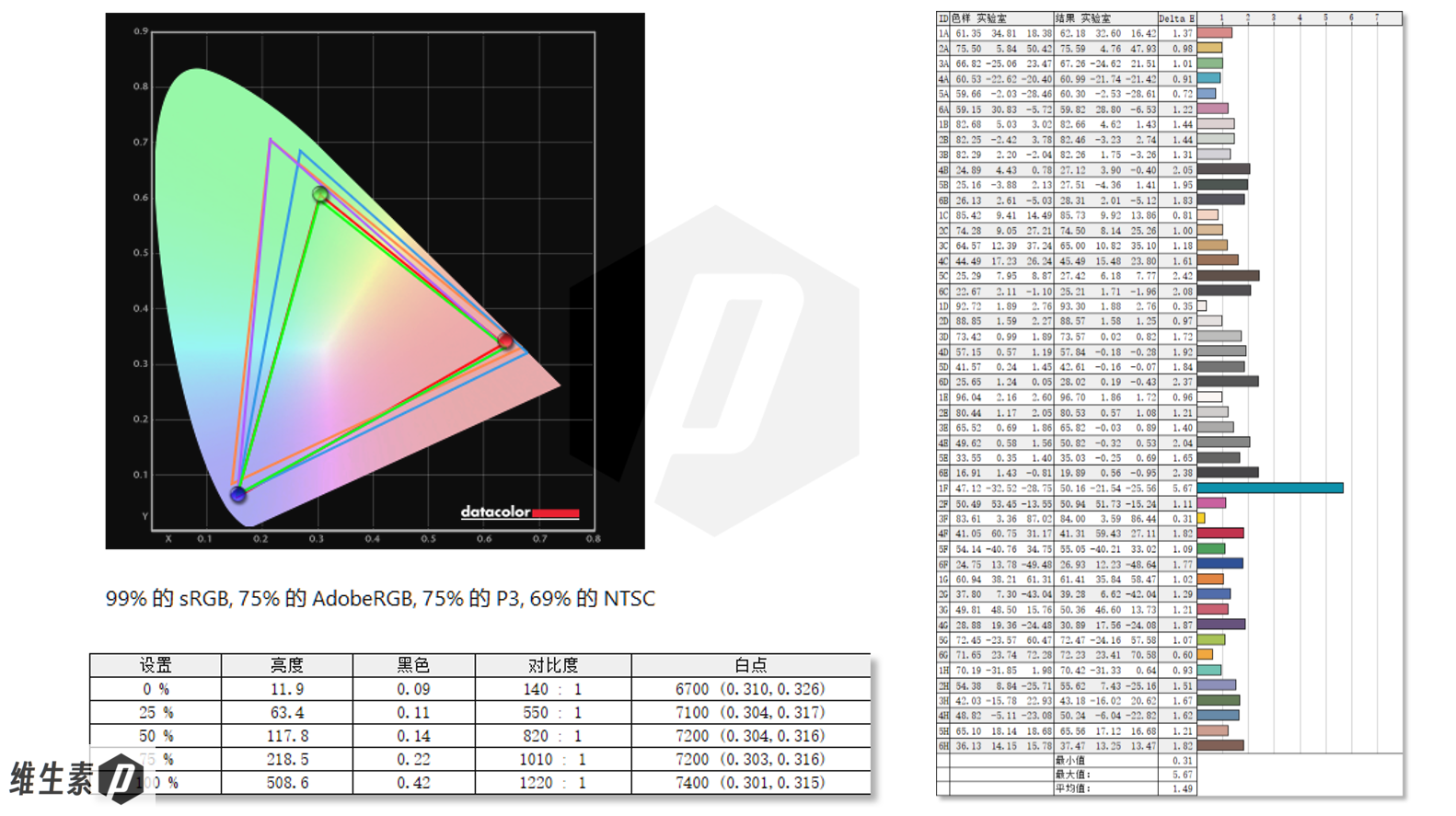
Measured with proper instruments, it covers 99% sRGB and 69% NTSC — typical for an office display.
Brightness is 12 nits at 0%, 118 nits at 50%, and 509 nits at 100%. The tone response curve is 2.3, and average Delta E is 1.49.
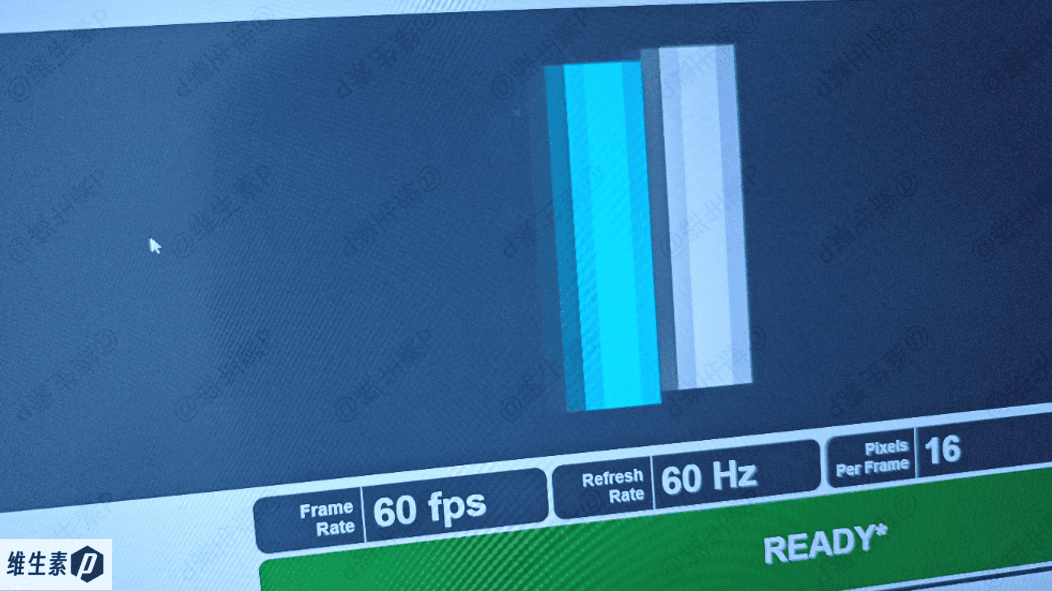
At a 1/1000 shutter speed, the panel's motion blur is shown below.
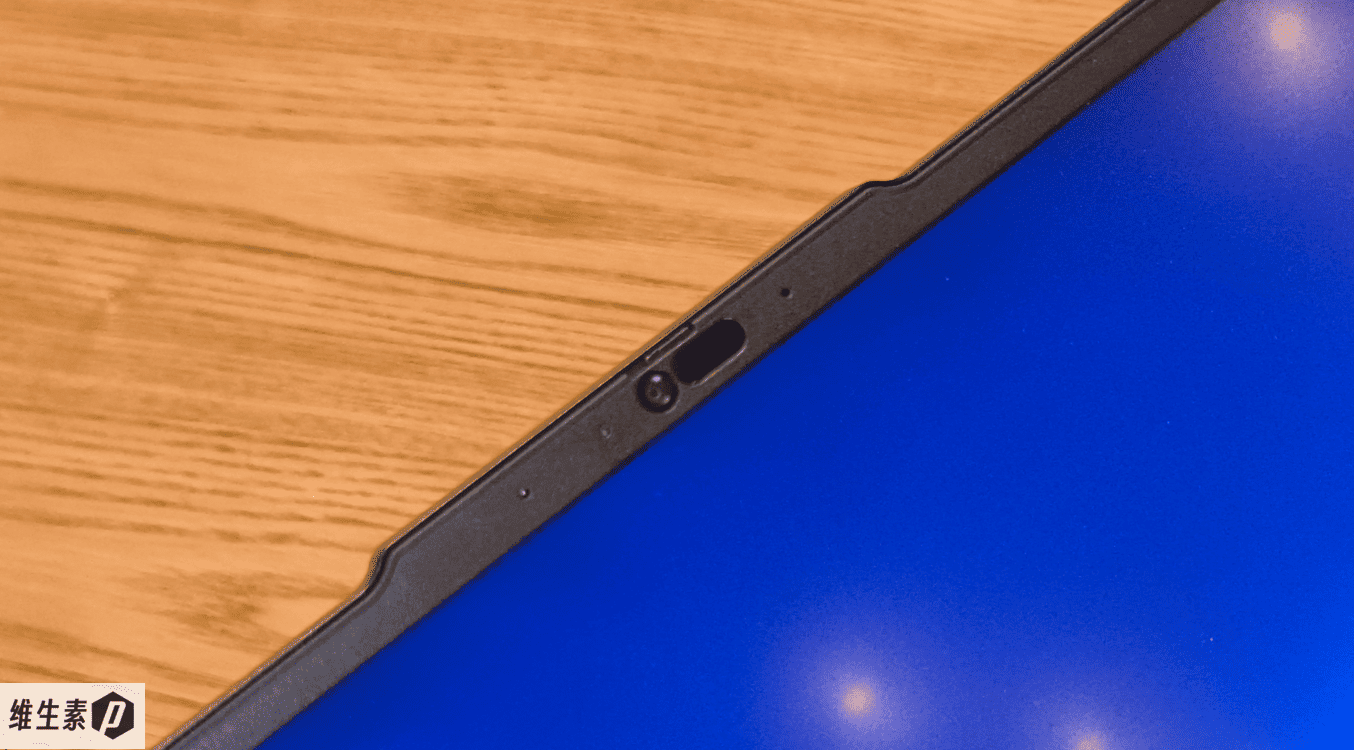
There's a raised area at the top of the screen that makes one-handed opening easier while leaving room for sensors.
Up top is a 5 MP RGB webcam plus an IR camera that supports presence detection (whether you've left the screen) and Windows Hello facial unlock.
The webcam has a physical privacy shutter that you slide to mechanically block the camera.
Power & Battery
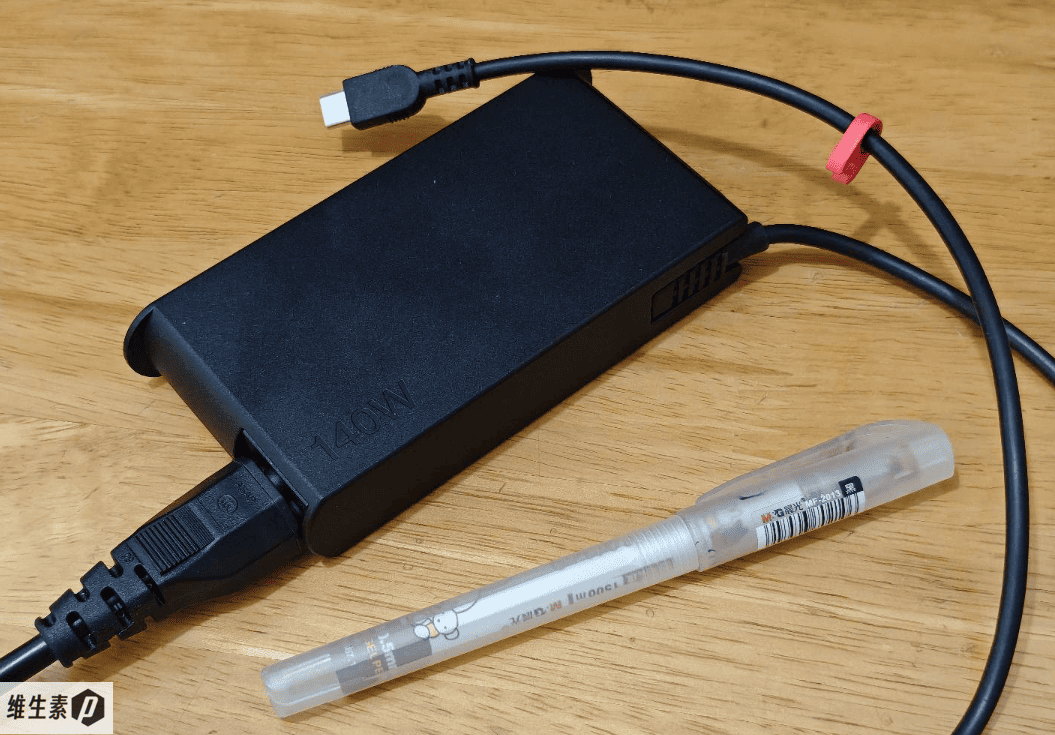
The power adapter weighs 406 g; combined with the 2.188 kg body, that's 2.594 kg in total.
The adapter is impressively compact — small for a 140 W unit. It supports up to 28V-5A (140 W), as well as 20V-5A (100 W), 15V-3A (45 W), and lower 9V and 5V charging.
In testing, the USB-C port also accepted third-party GaN chargers — even a 20V-2.25A 45 W adapter will charge it.
If you want something lighter for travel, a small tens-of-watts GaN charger will do — though a third-party adapter obviously can't match the 140 W's charging speed. If speed matters, buy a 28V 5A PD 3.1 140 W charger.
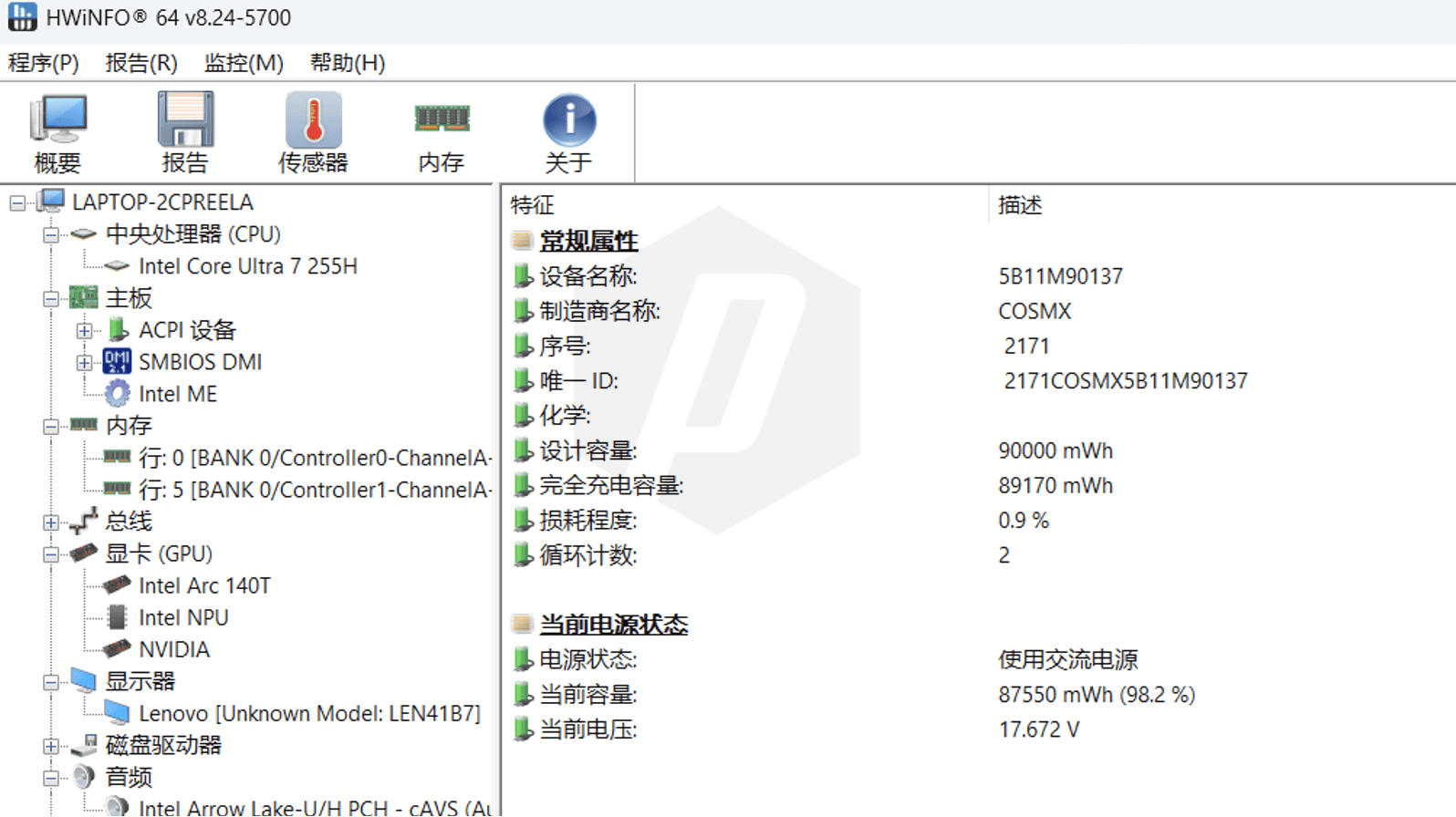
The battery capacity is 90 Wh — quite good. For an all-rounder workstation, a big battery gives field engineers extra peace of mind.
With the machine on and charging, battery-side monitoring software shows charging speeds up to 90 W.
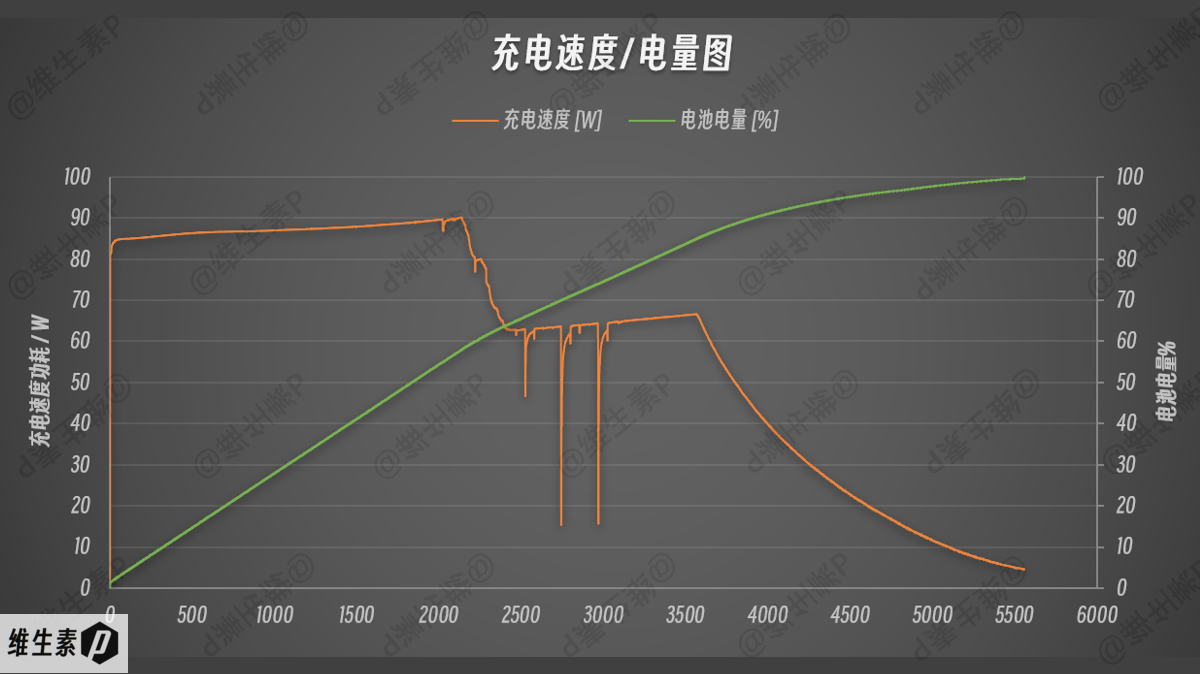
In the on-state charging test with the stock 140 W adapter on this 90 Wh battery, it went from 10% to 57.1% in 30 minutes — about 42 Wh in half an hour.
- 10% to 50% takes 25 minutes
- 10% to 90% takes 61 minutes
- 10% to 100% takes 89 minutes
Stress Tests
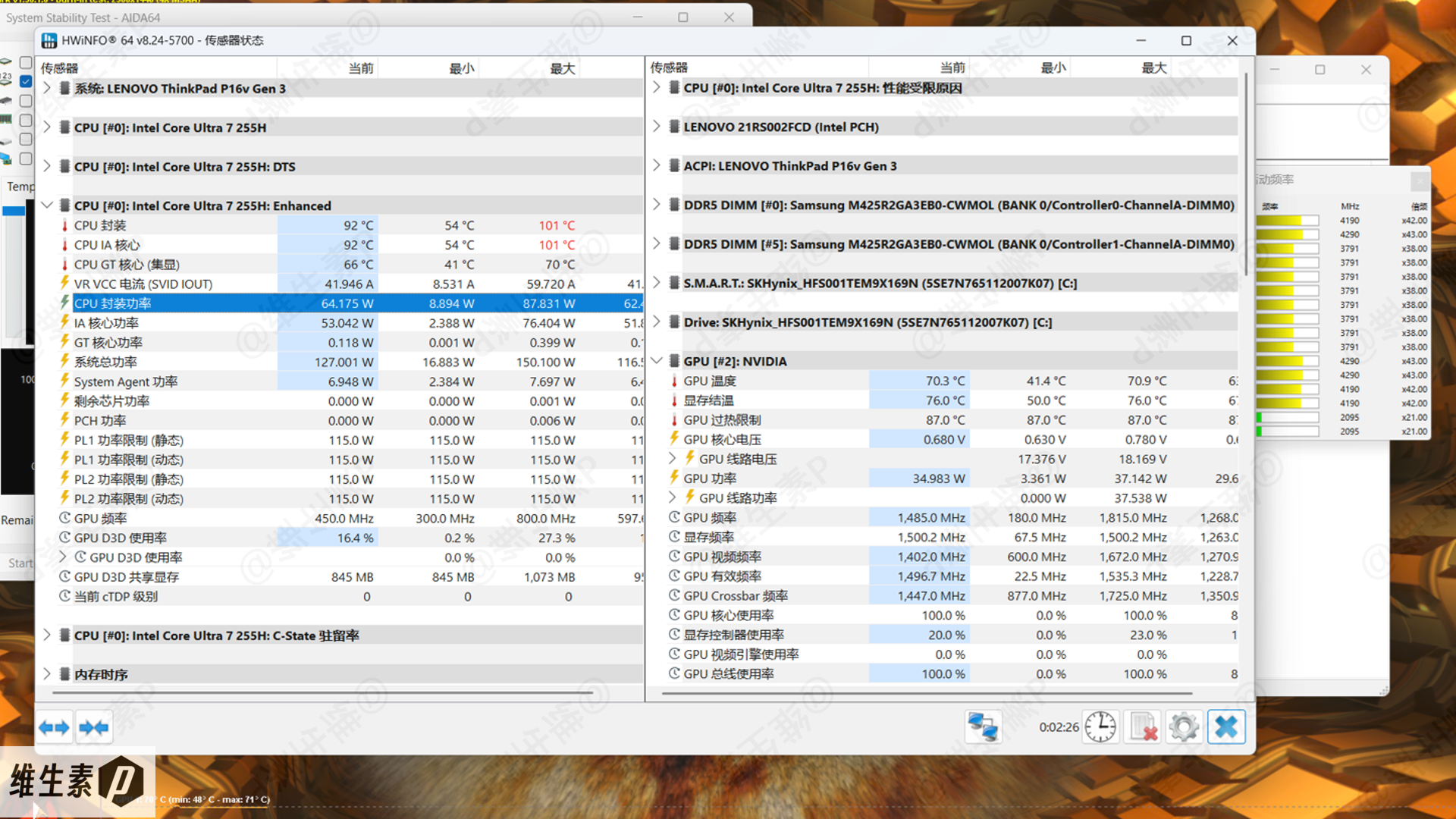
Ambient temperature during testing was 26°C with 73.4% humidity.
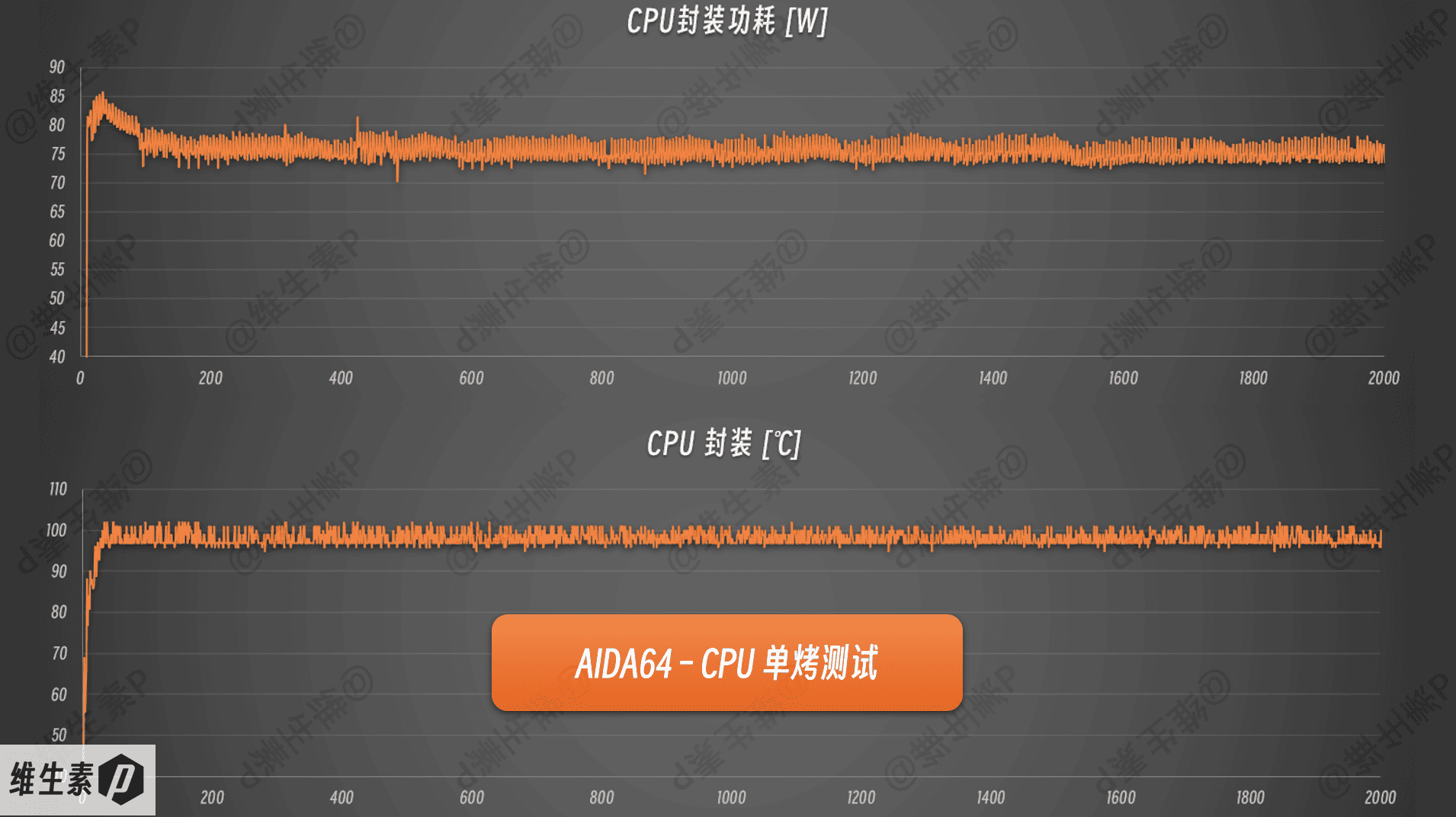
First, I ran an AIDA64 FPU stress test on the CPU to check how the ThinkPad P16v 2025 (Gen3) behaves under extreme load.
After collecting system data for a while, I observed the CPU power climb to 85 W early in the test, then settle into a 73-78 W band, with CPU temperatures fluctuating between 97°C and 102°C.
Next, let's look at the GPU under extreme load.
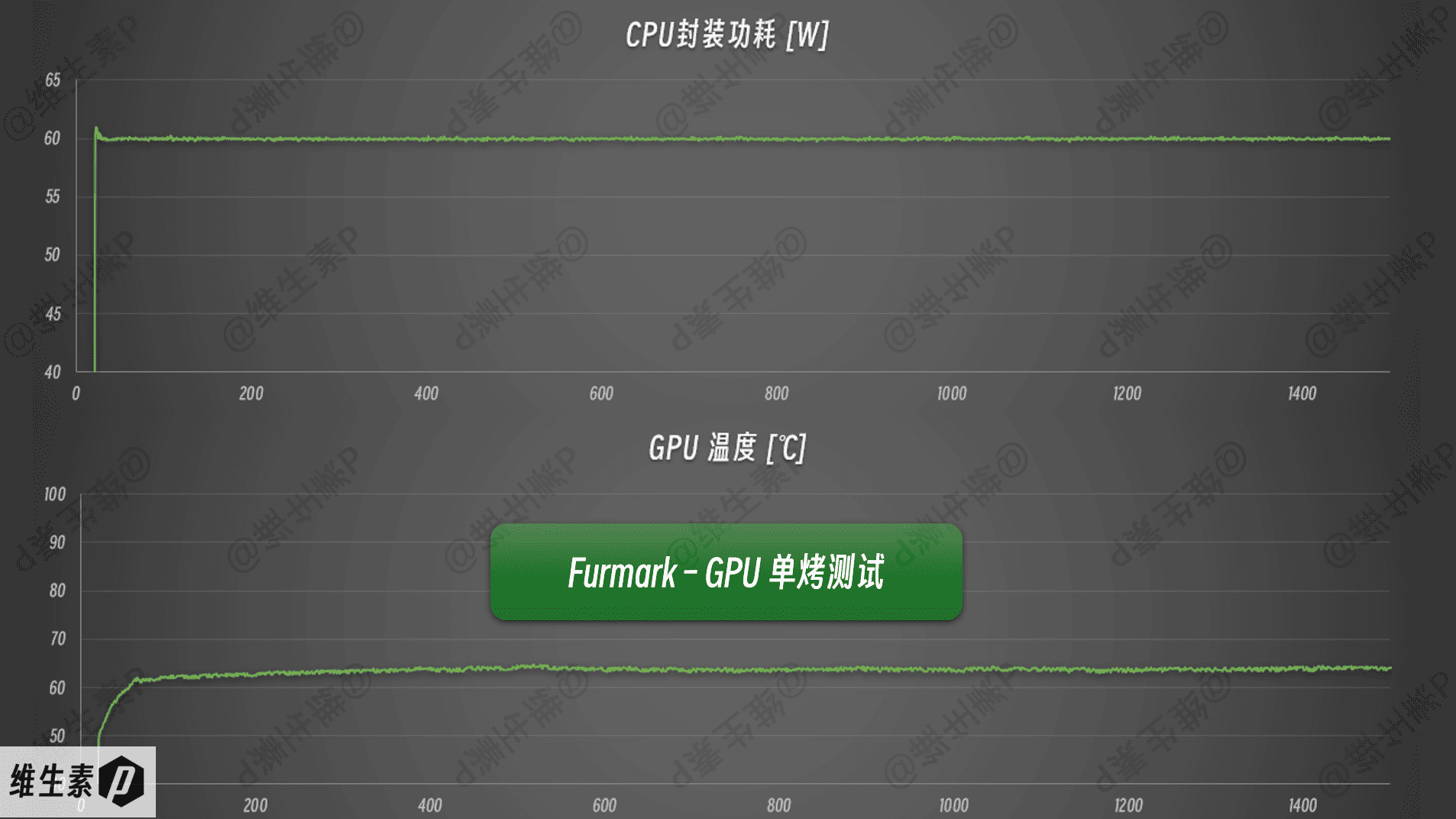
Using Furmark at 2560 x 1440 with 4x MSAA, the GPU stress test results are shown below.
GPU power spiked to 61 W before settling at 60 W, with temperatures holding around 63°C. Core clock peaked at 2.47 GHz and settled into a 1.92-2.14 GHz range, with the GPU voltage at 0.82 V.
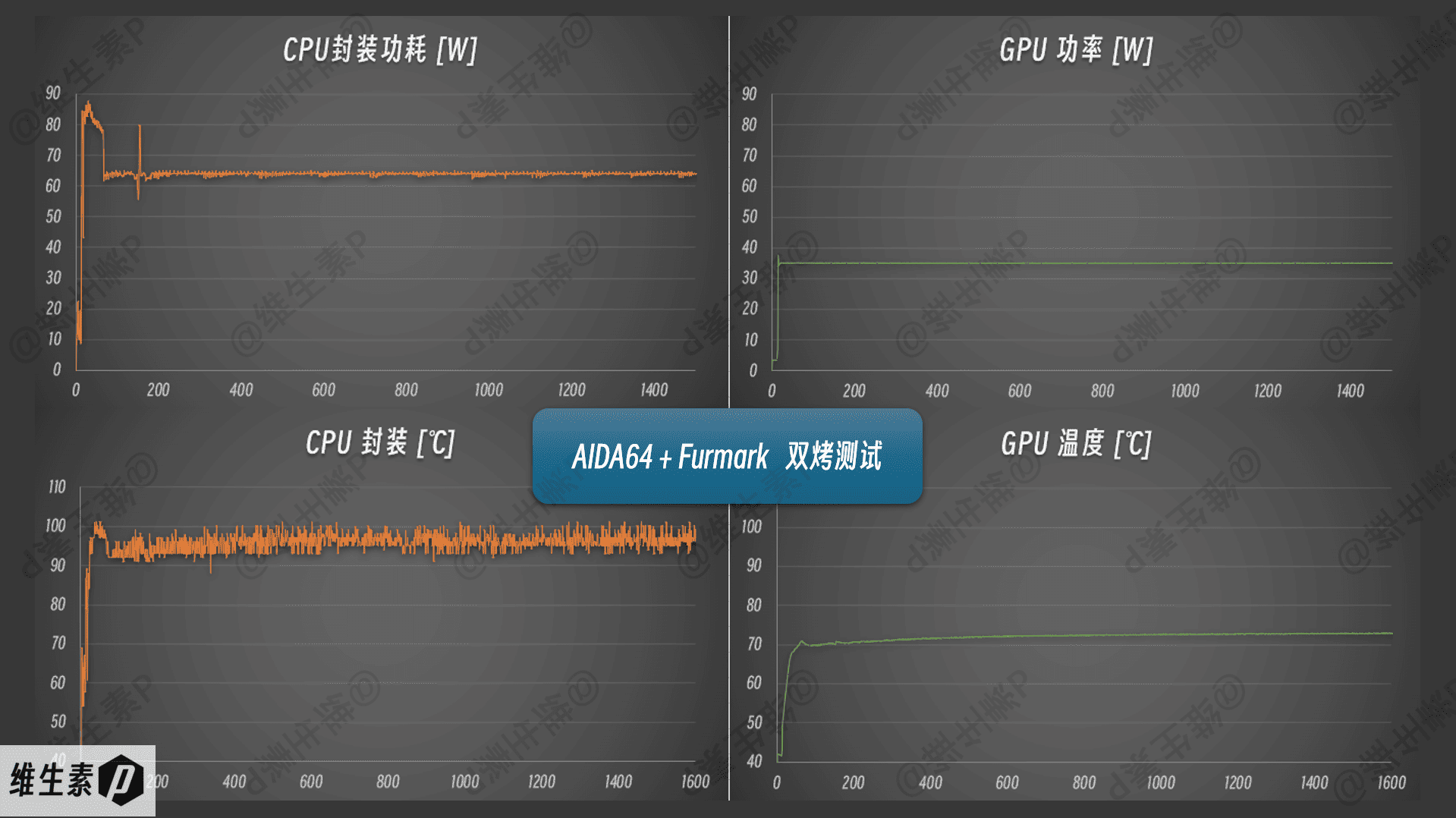
Then came the combined CPU+GPU stress test, which settled at CPU 65 W + GPU 35 W, for roughly 100 W total system power.
This power-sharing behavior clearly reveals the machine's workstation DNA: the priority is keeping the CPU working, and GPU acceleration takes a back seat to CPU compute — which matches how real engineering software actually behaves.
In a very quiet room with a 33.4 dB ambient noise floor, measured noise at the user position under combined stress was about 42.6 dB — no harsh tones, just a gentle airflow whoosh.
On battery during light office work, noise is well controlled; the fans don't spin very fast, and the tone is just slightly higher-pitched. ThinkPad P16v 2025 (Gen3) uses the ThinkPad eagle-wing fan design, which balances efficiency and noise reduction.
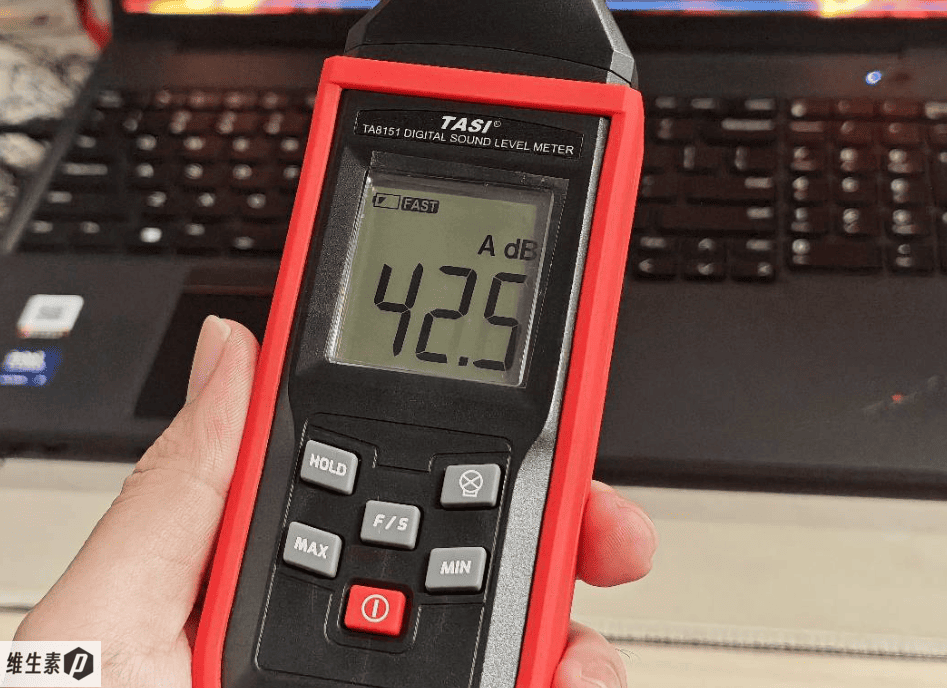
After 30 minutes of combined stress, I measured keyboard surface temperatures with an infrared thermometer; the results are shown below.
Thermals are excellent.
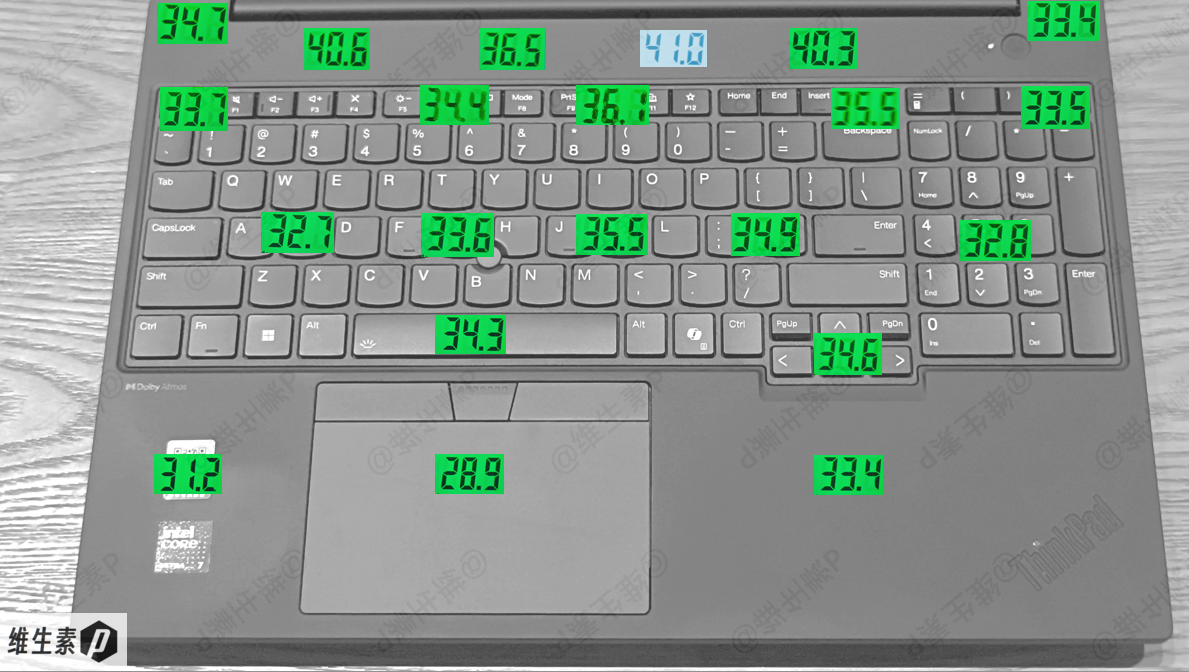
Overall surface temperature control is remarkably cool — with ample cooling hardware and a relatively conservative tune, it feels like using a sledgehammer to crack a nut. The keyboard tops out at just 36.1°C, below body temperature, so even under extreme load in an air-conditioned room you'd feel no heat at all; the hottest spot near the hinge is only 41°C.
This design likely reserves headroom for hot working environments, using a more conservative performance release to keep reliability and temperatures in check. In a summer workshop without air conditioning, an engineer debugging equipment would be badly thrown off by a hot keyboard.
CPU — Intel Core Ultra 7 255H
This ThinkPad P16v 2025 (Gen3) has an Intel Core Ultra 7 255H, part of the second-generation Core Ultra "Arrow Lake-H" family — effectively two generations beyond the 13th-gen Core.
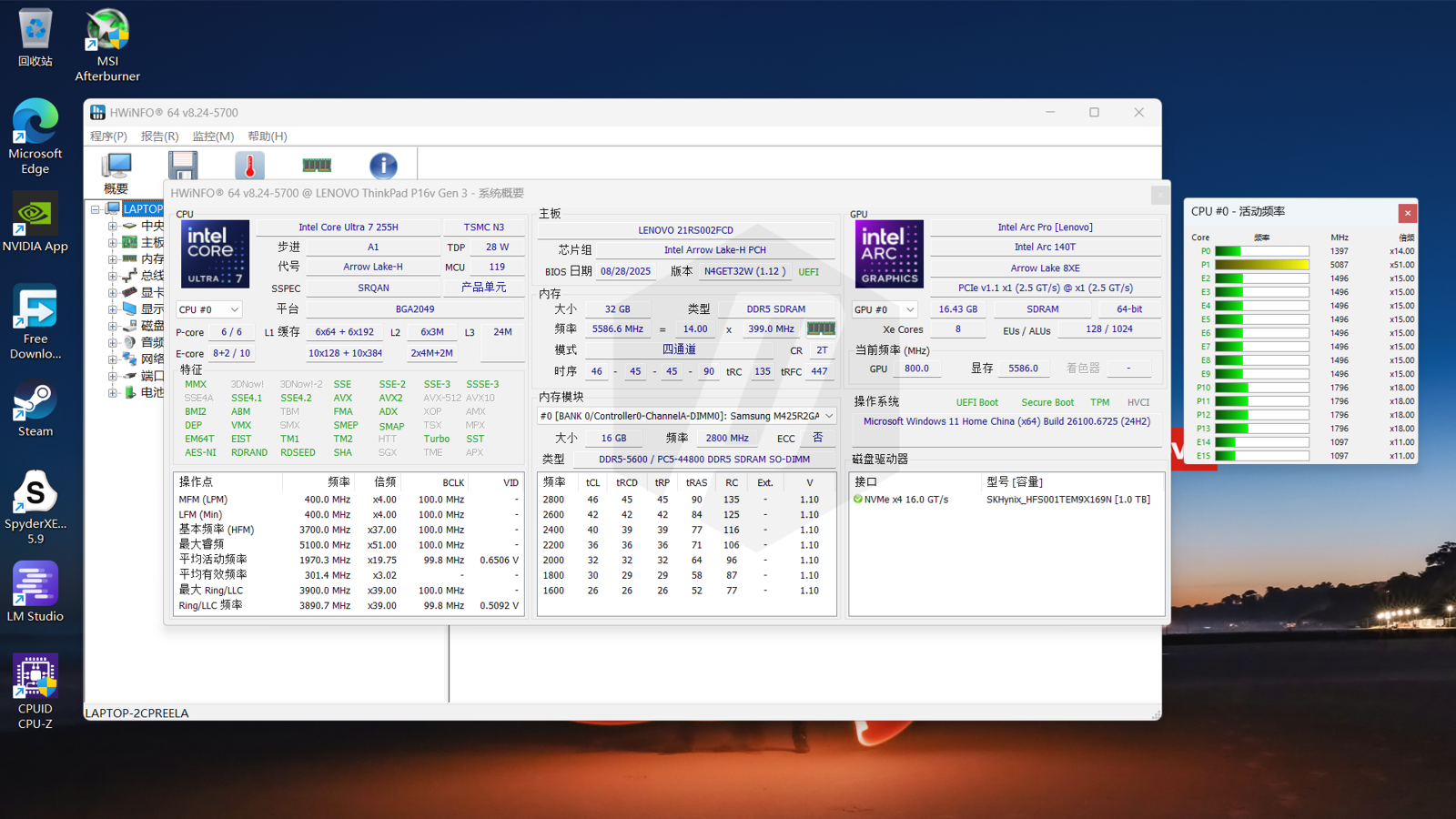
The Ultra 7 255H is a solid step up from the Gen 1's 13700H and the Gen 2's U7-155H, especially in the most practical metric, single-core performance. Architecturally, versus the previous Meteor Lake, the main upgrades are in the Compute Tile and Graphics Tile.
The U7-255H's Compute Tile uses TSMC N3B, a hybrid-core design with Hyper-Threading removed: 6 Lion Cove performance cores, 8 Skymont efficient cores, and 2 Crestmont low-power efficient cores, for 16 cores and 16 threads — improving both efficiency and performance.
The CPU has a 24 MB cache. P-core base clock is 2 GHz, boost up to 5.1 GHz; E-core base 1.5 GHz, boost 4.4 GHz; low-power E-core base 0.7 GHz, boost 2.5 GHz. Base TDP is 28 W, with a maximum turbo power of 115 W.
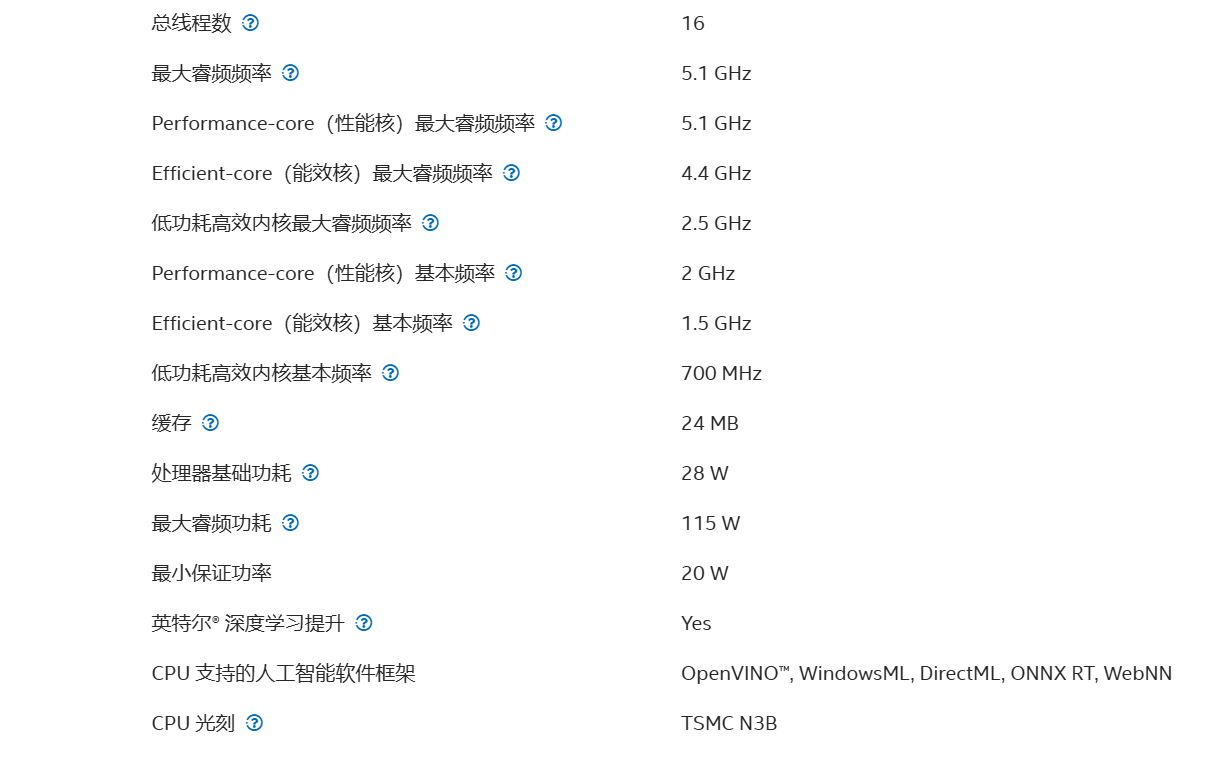
For memory, the CPU supports up to LPDDR5/x 8400 MT/s or DDR5 6400 MT/s, with an officially rated maximum of 128 GB.
The CPU has 28 PCIe lanes, configurable as 1 (x8) Gen5 + 3 (x4) Gen4 + 8 (x1/x2/x4) Gen4.
The integrated GPU is the Intel Arc 140T on TSMC N4P, with 8 new Xe Cores, added XMX units, a max boost of 2.25 GHz, and XeSS 2 support. NPU peak TOPS (Int8) is 13.
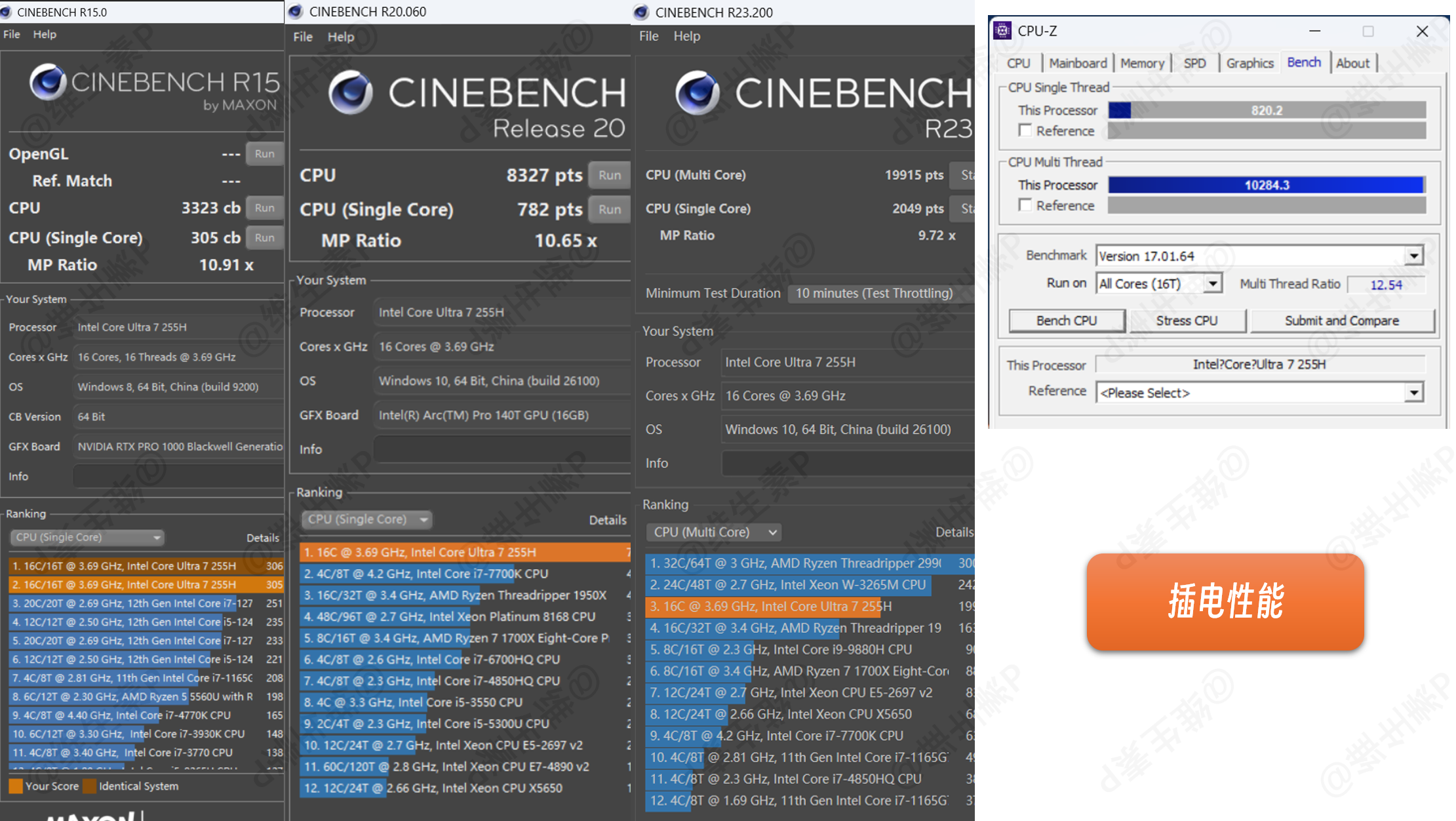
Measured performance is shown below. With the stock 140 W adapter, the ThinkPad P16v 2025 (Gen3) delivers its full performance nicely.
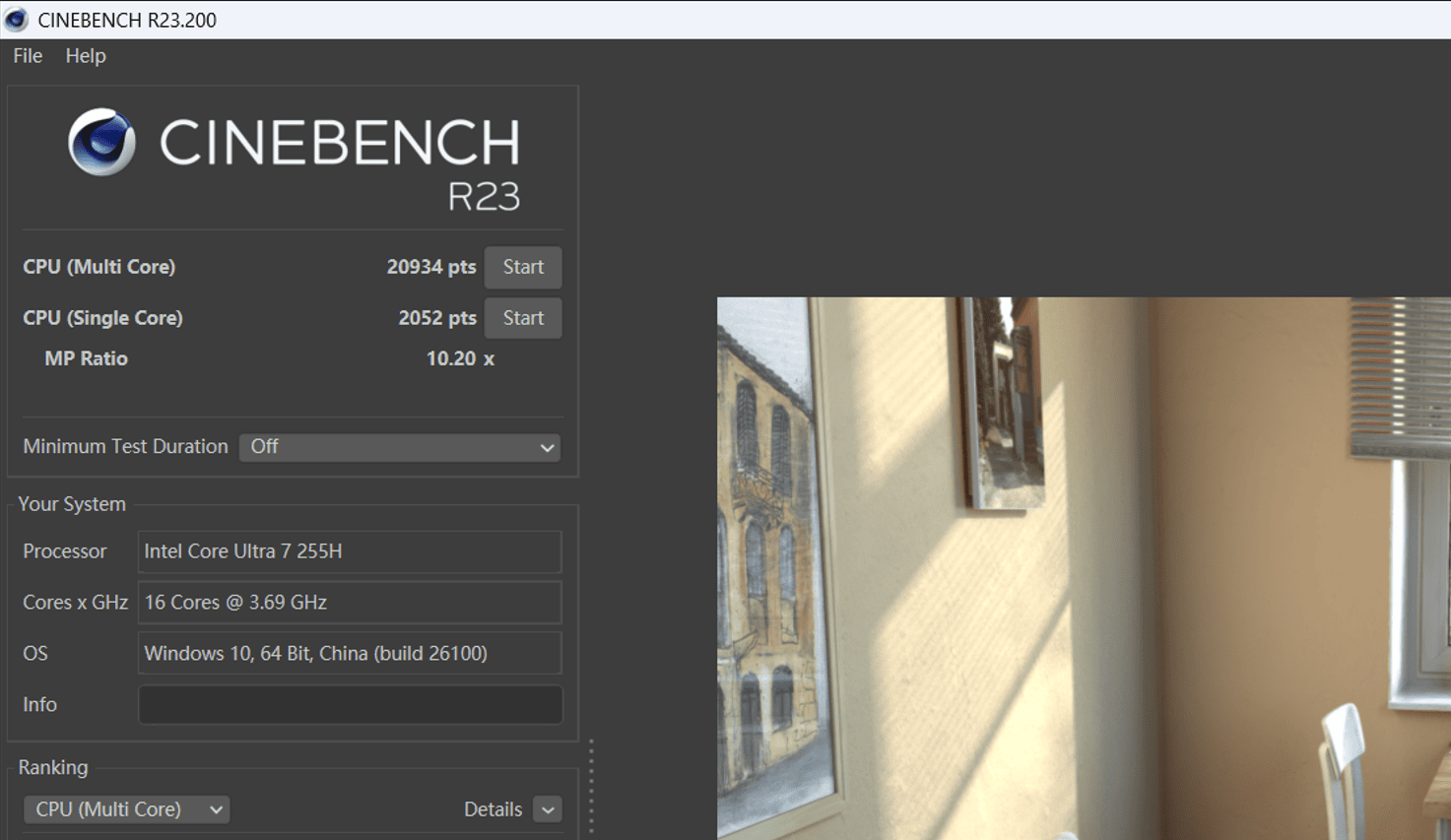
Benchmark scores are as follows:
- R15: 305 single-core, 3323 multi-core
- R20: 782 single-core, 8327 multi-core
- R23 single-pass: 2052 single-core, 20934 multi-core
- R23 10-minute: 2049 single-core, 19915 multi-core
- CPU-Z: 820 single-core, 10284 multi-core
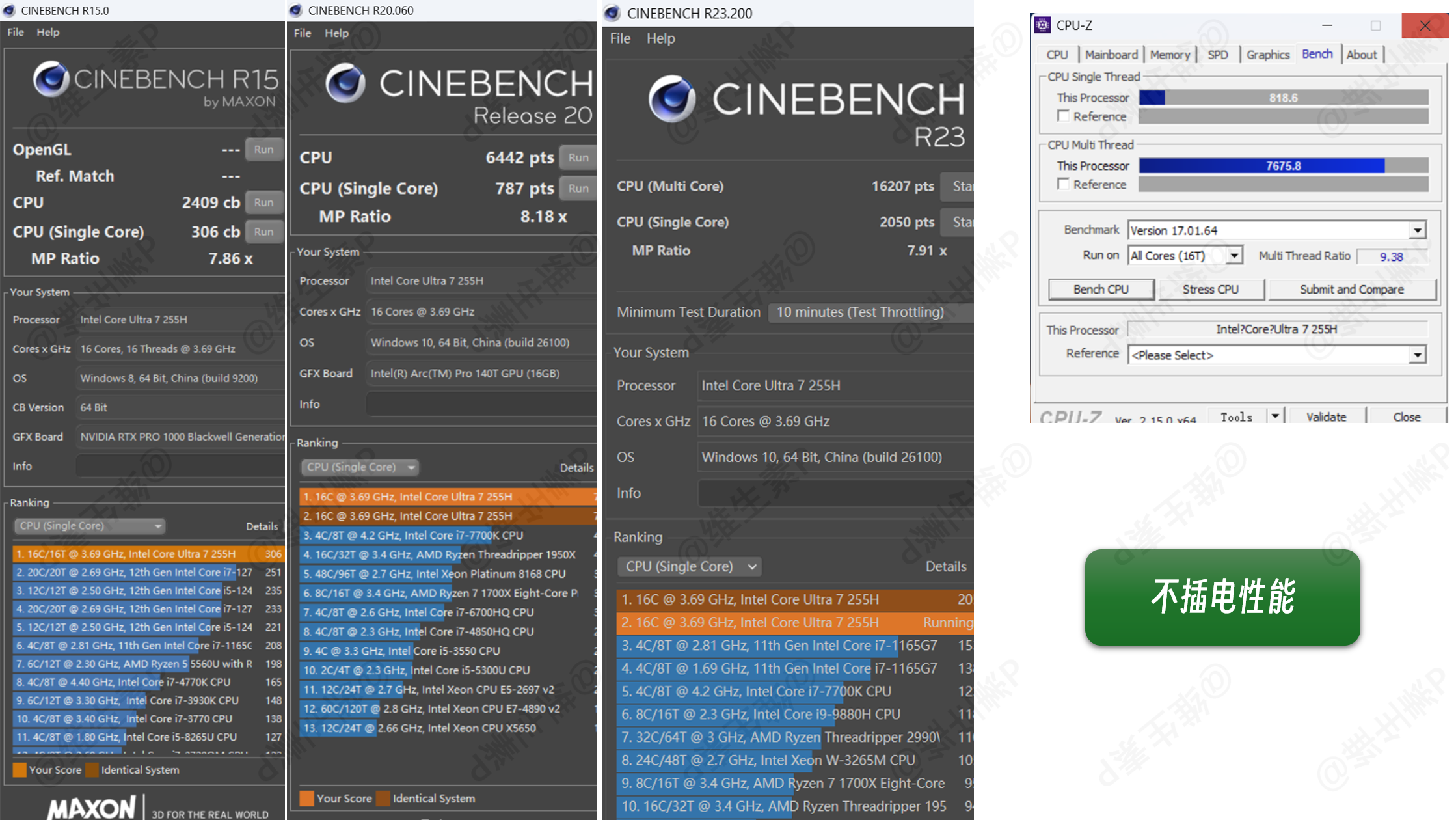
On battery only, with the highest performance mode enabled, unplugged performance is as follows:
- R15: 306 single-core, 2409 multi-core
- R20: 787 single-core, 6442 multi-core
- R23 single-pass: 2043 single-core, 16110 multi-core
- R23 10-minute: 2050 single-core, 16207 multi-core
- CPU-Z: 819 single-core, 7675 multi-core
Looking at the 10-minute R23 run alone, on battery with maximum performance the score is roughly 81% of the plugged-in result.
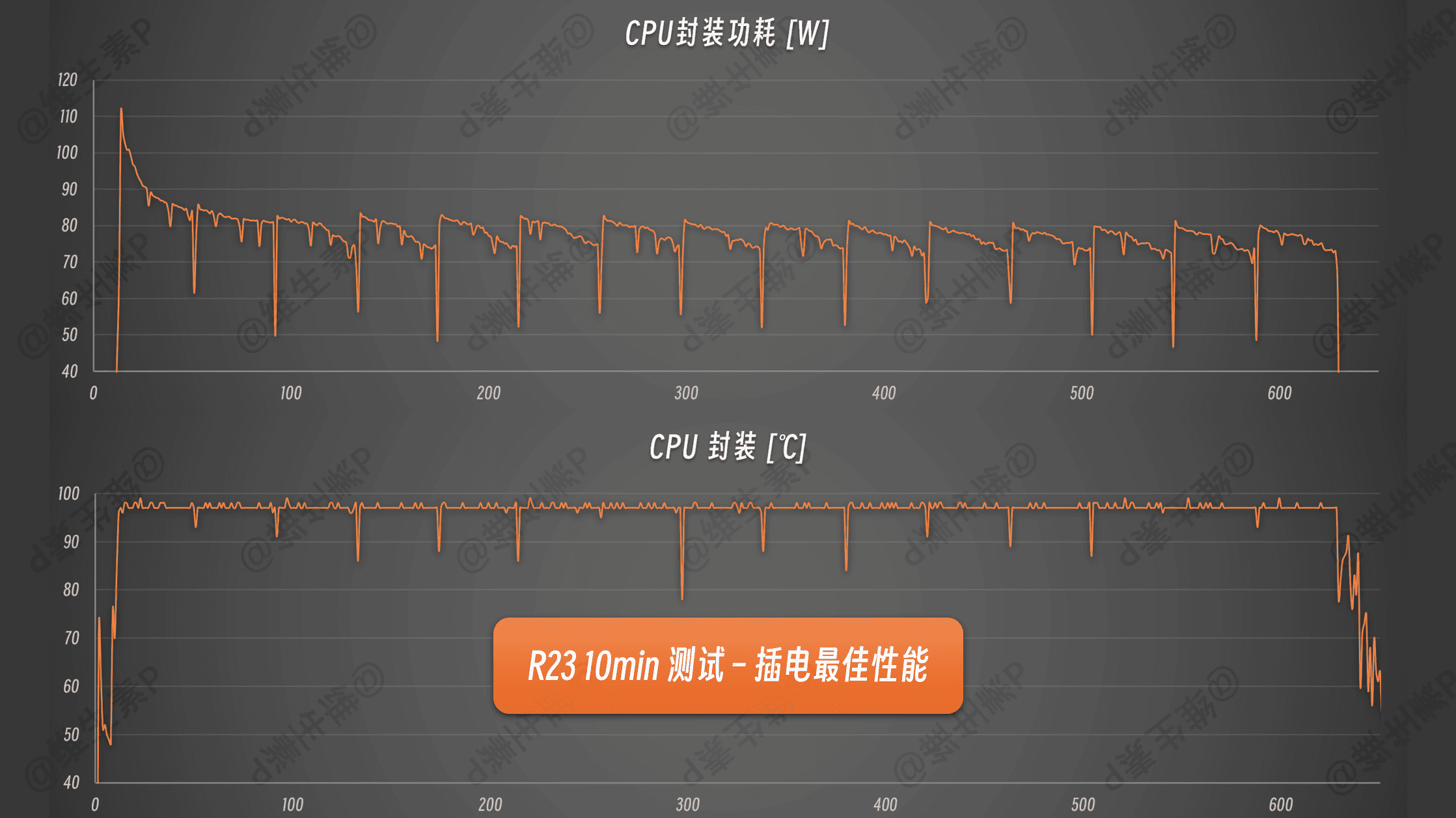
During the 10-minute R23 test on AC power with maximum performance, CPU power and thermals behave as follows.
Instantaneous load peaked at 111 W, then settled into a 70-80 W range, with temperatures capped at 97°C throughout.
GPU — NVIDIA RTX Pro RTX Pro 1000 Blackwell 8GB GDDR7
The RTX Pro 1000 professional GPU moves from Ada Lovelace to Blackwell, with a more advanced process and higher transistor density to help designers, creators, and engineers accelerate AI and visual computing anywhere, while Max-Q technology balances power and performance.
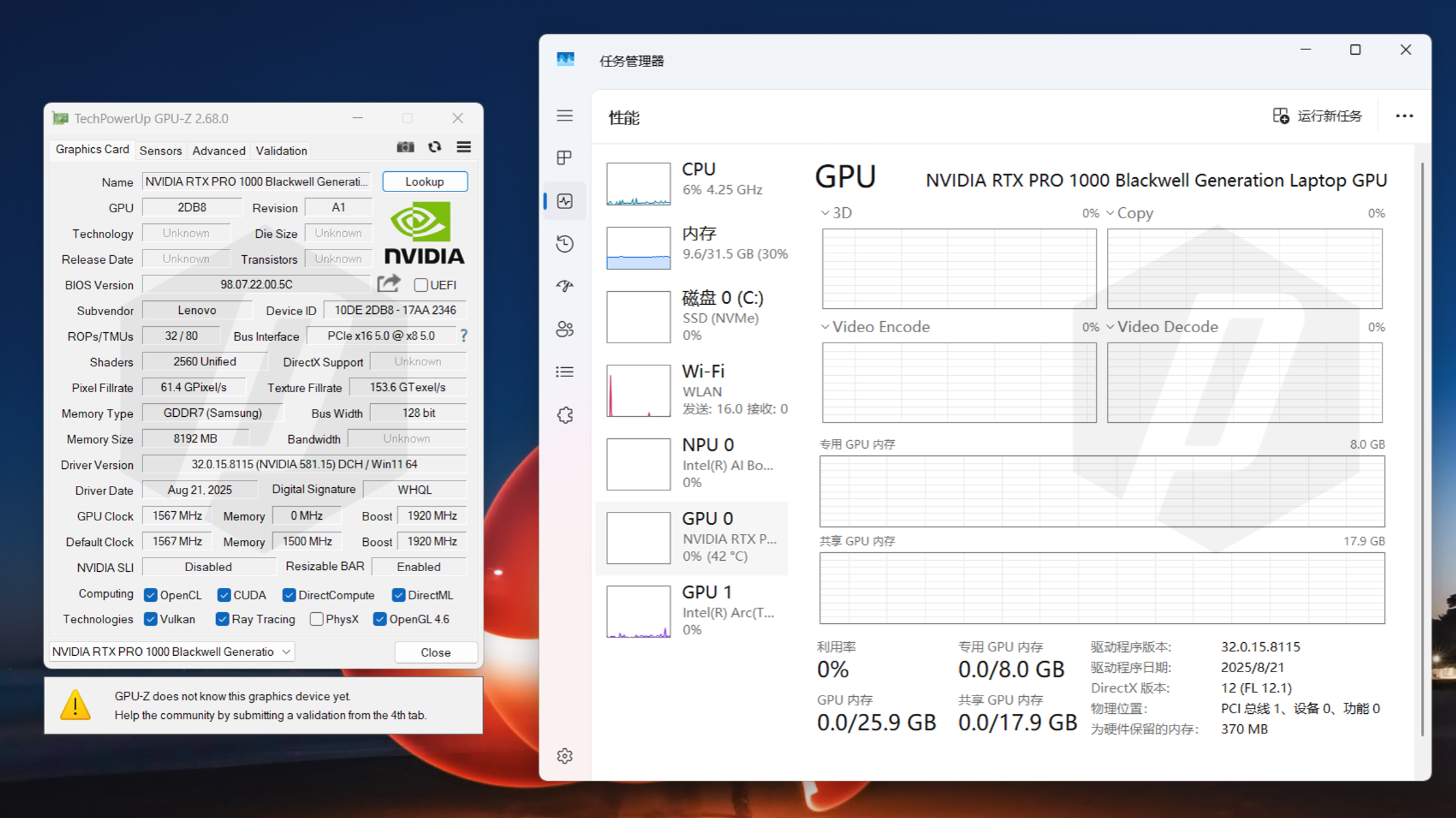
It shares the same Blackwell core as the RTX 5050 laptop GPU, with 2560 CUDA cores, a 128-bit bus, and 8 GB of GDDR7. It upgrades to 4th-gen RT Cores for smoother viewport rendering and 5th-gen Tensor Cores for stronger AI, with a theoretical peak of 13.6 TFLOPS and 440 AI TOPS.
The RTX Pro 1000's rated TGP is 35-75 W, which keeps power and cooling demands modest on a laptop.
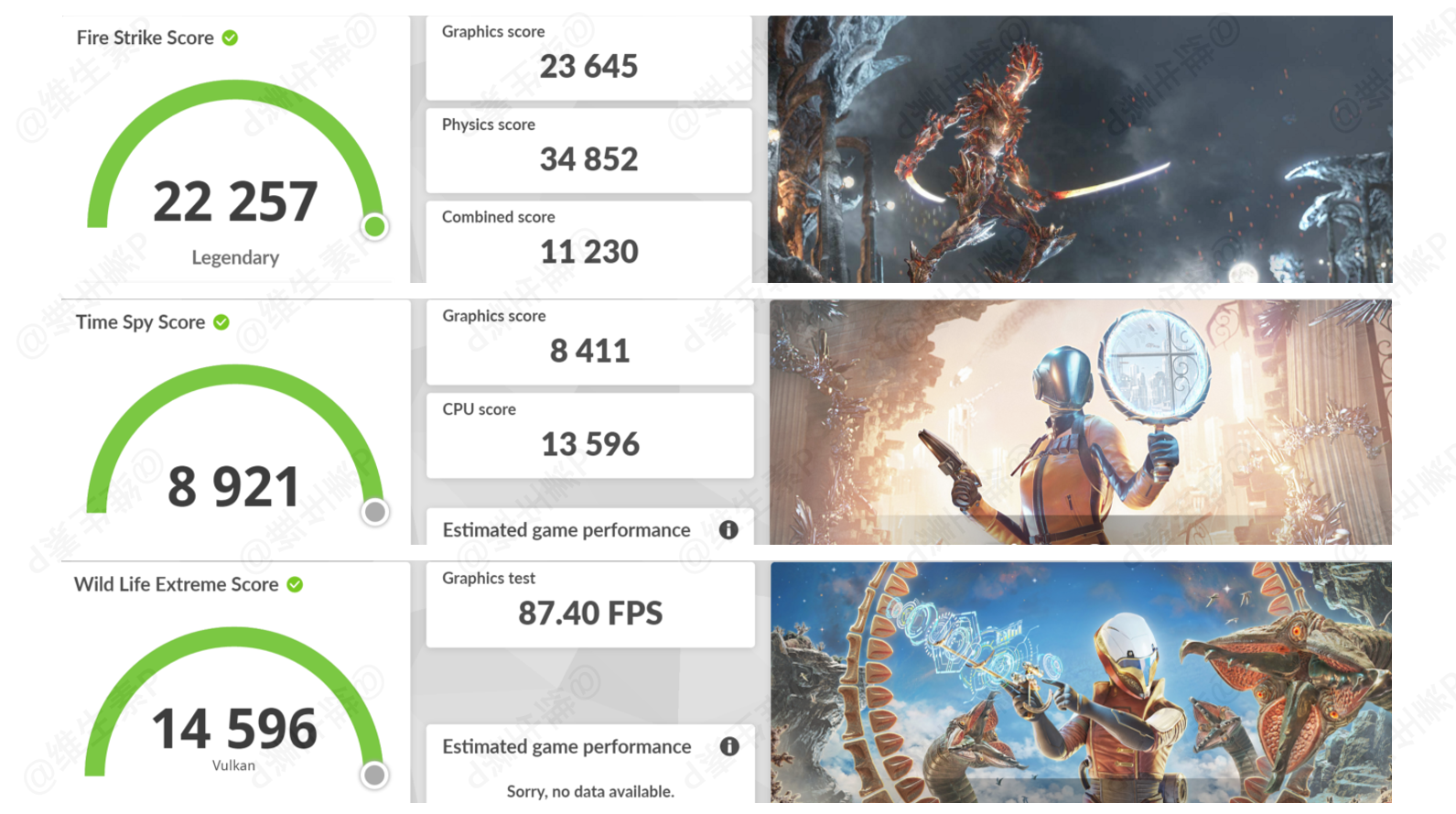
The ThinkPad P16v 2025 (Gen3)'s 3DMark scores are shown below.
- Fire Strike graphics score: 23645
- Time Spy graphics score: 8411
- Wild Life Extreme graphics score: 14596
During the runs the GPU's instantaneous peak clock reached 2510 MHz. These 3DMark tests mainly target consumer-grade DirectX 11/12 gaming graphics and don't particularly showcase a professional GPU's strengths.
Of course, if you insist on gaming — and the drivers cooperate — it can play games; it's just that gaming on this laptop's GPU is a bit absurd, bordering on performance art.
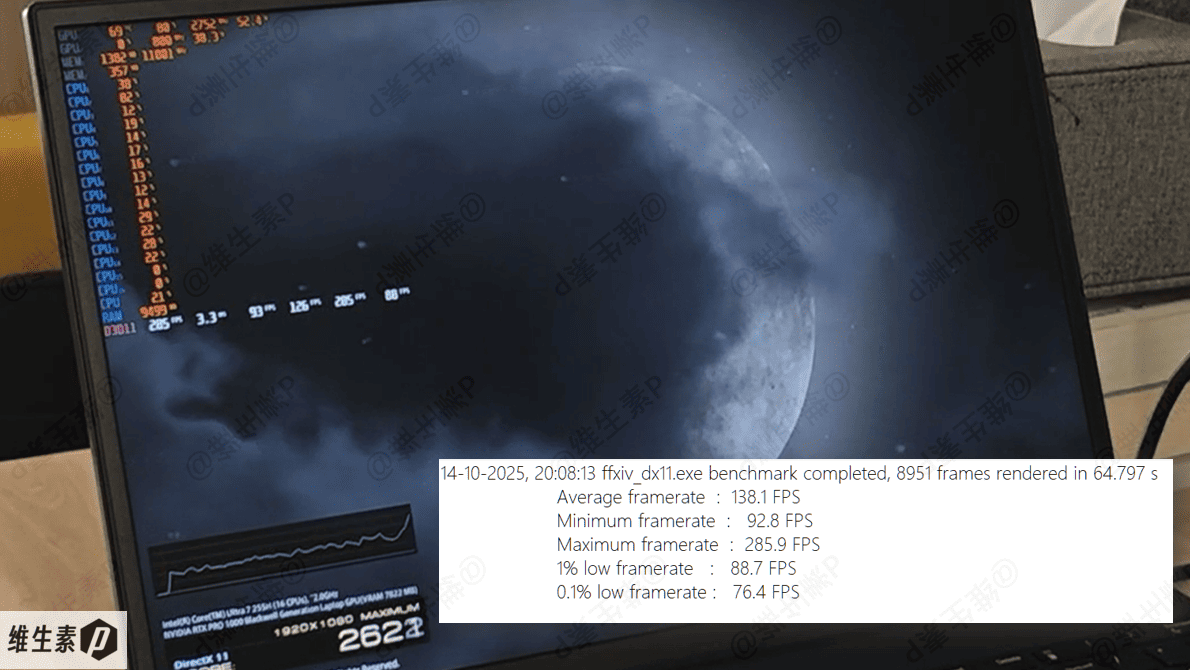
In the MMO Final Fantasy XIV at maximum quality at 1080p, the first cutscene ran at 93-286 fps with a 1% low of 89 — so sneaking in a couple of online games between work sessions is entirely doable.
The RTX Pro 1000 professional GPU rarely appears in consumer products; it mostly shows up in business workstations that need to run ISV-certified software like SolidWorks and AutoCAD. Lenovo's ISV partner list — covering most industrial software — is available at the link below.
【Lenovo】 ISV Certified Systems & Partners
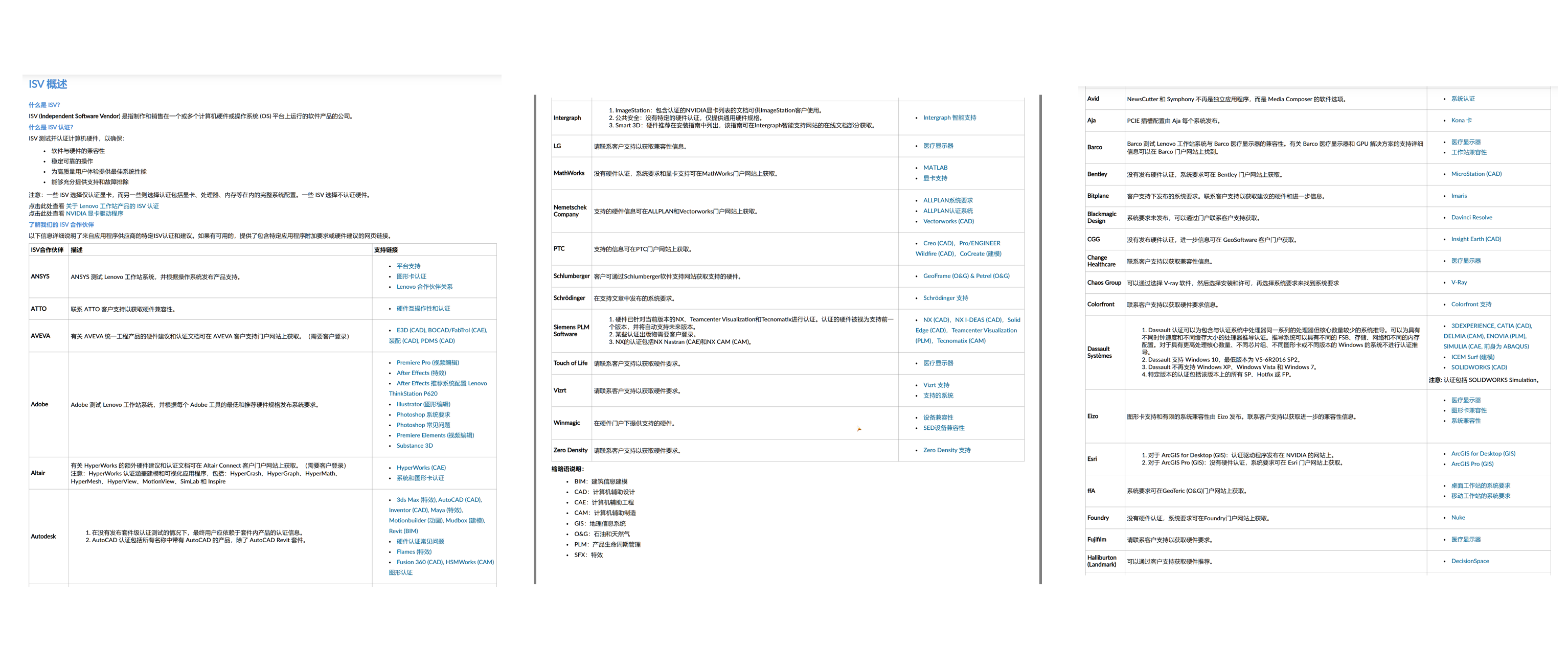
If you use such software, refer to the earlier "AI & Professional Software Productivity Tests" section for overall performance.
For architecture/engineering students and faculty, junior 3D animators, light-to-medium video creators, and financial data analysts, this GPU acceleration and driver stability can genuinely affect the efficiency of professional compute. Imagine a simulation that takes 100 hours to run: it freezes at hour 80 and has to restart, and your advisor's group meeting is tomorrow — that's a special kind of panic.
Memory & Storage
The ThinkPad P16v 2025 (Gen3) has 32 GB of DDR5-5600 MT/s memory, made up of two 16 GB sticks in slots.
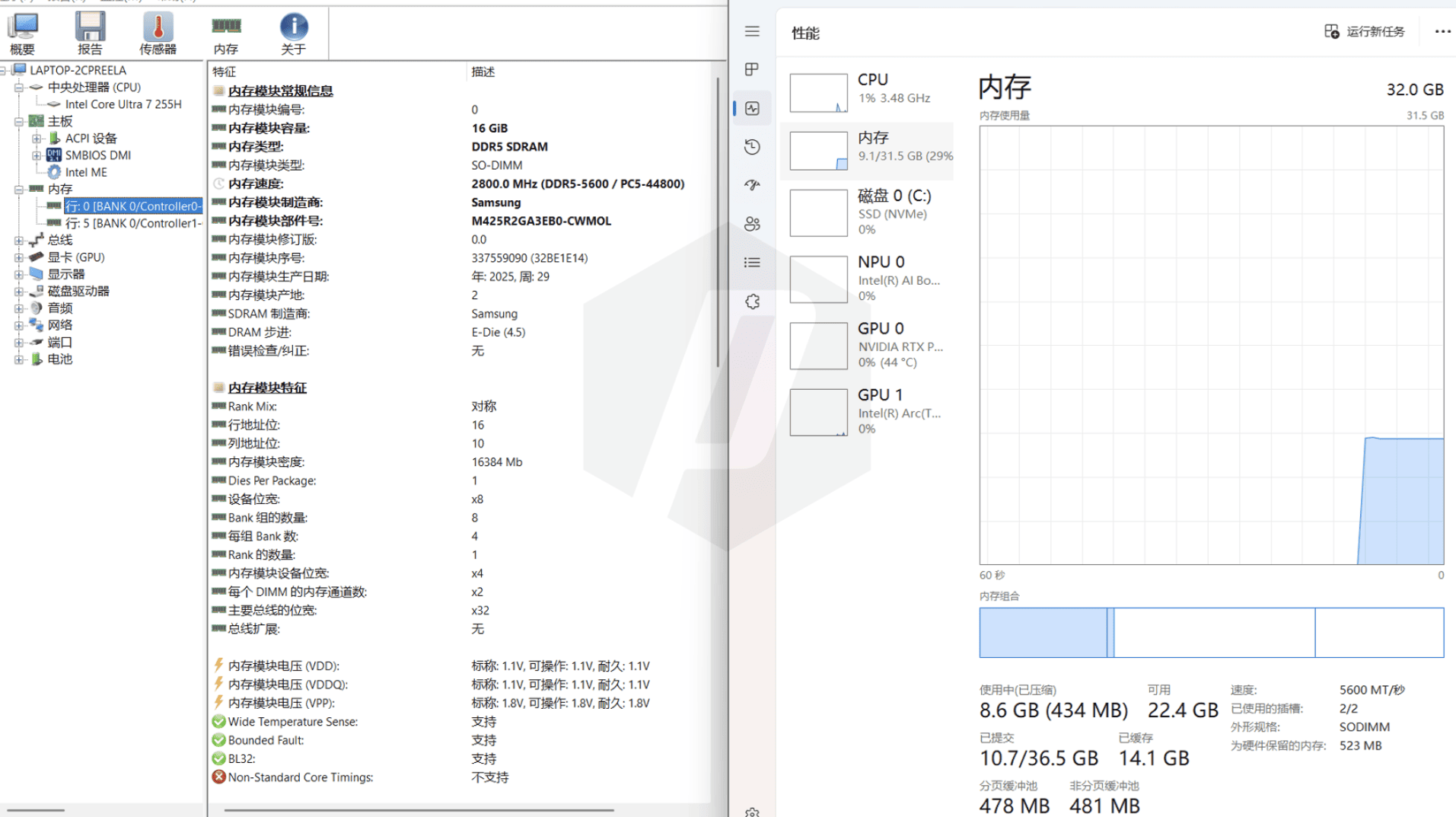
If you need more memory, you can swap in larger modules yourself.
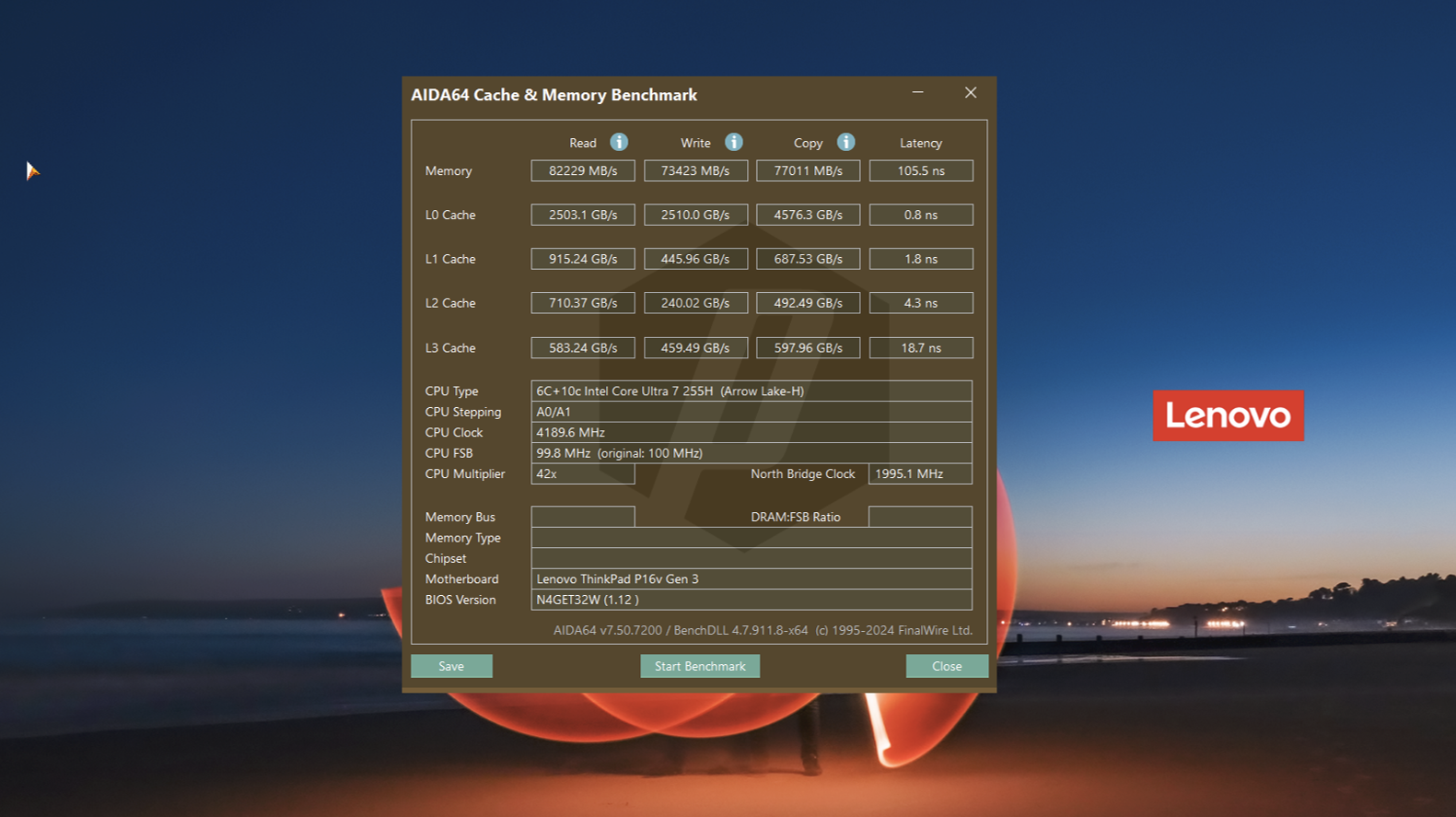
The memory is SO-DIMM, using Samsung chips with E-Die DRAM stepping; read/write performance is shown below.
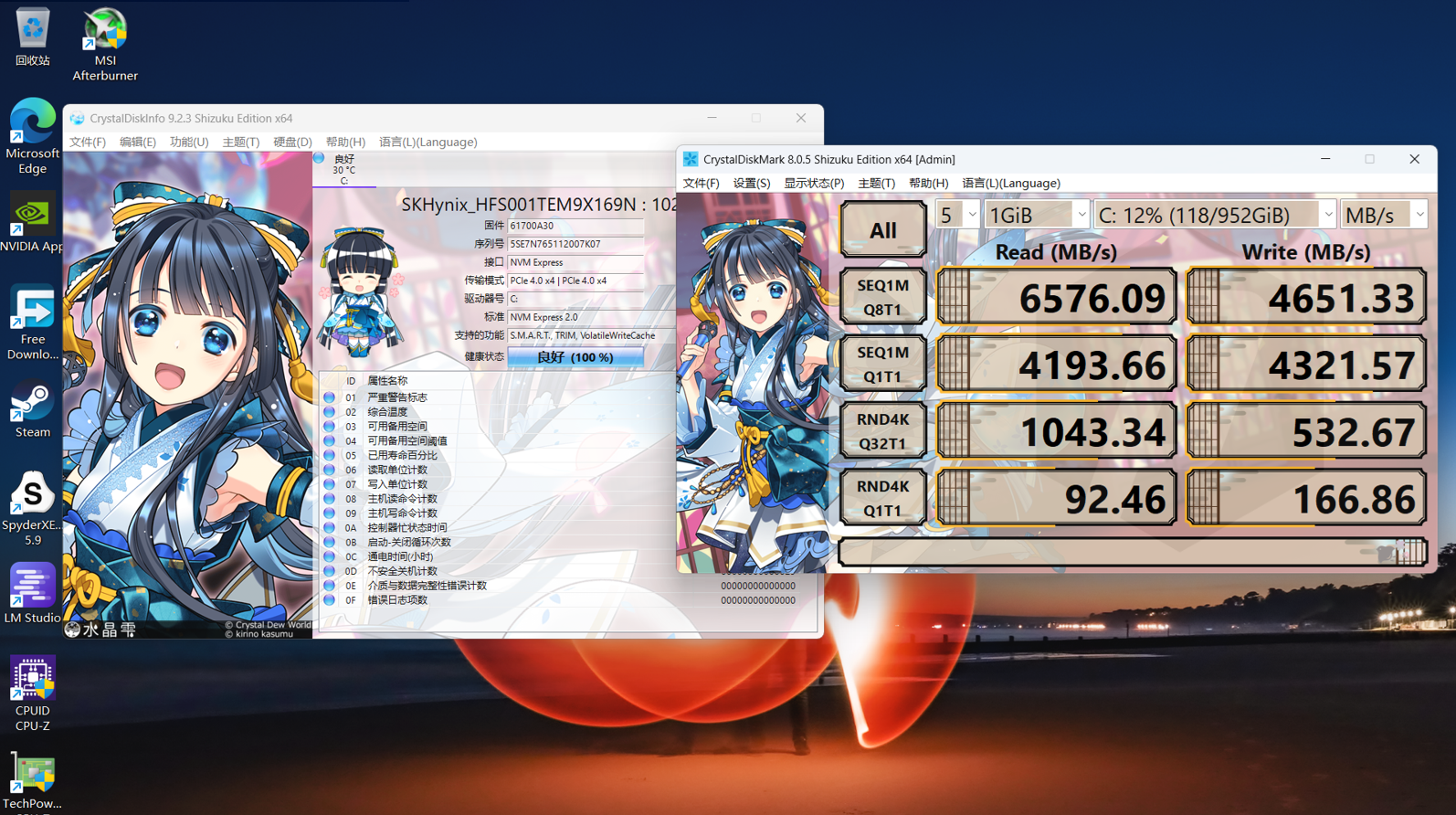
The ThinkPad P16v 2025 (Gen3)'s SSD is from SK hynix, model HFS001TEM9X169N.
Both M.2 slots across the lineup are PCIe 4.0, so you can add storage later yourself.
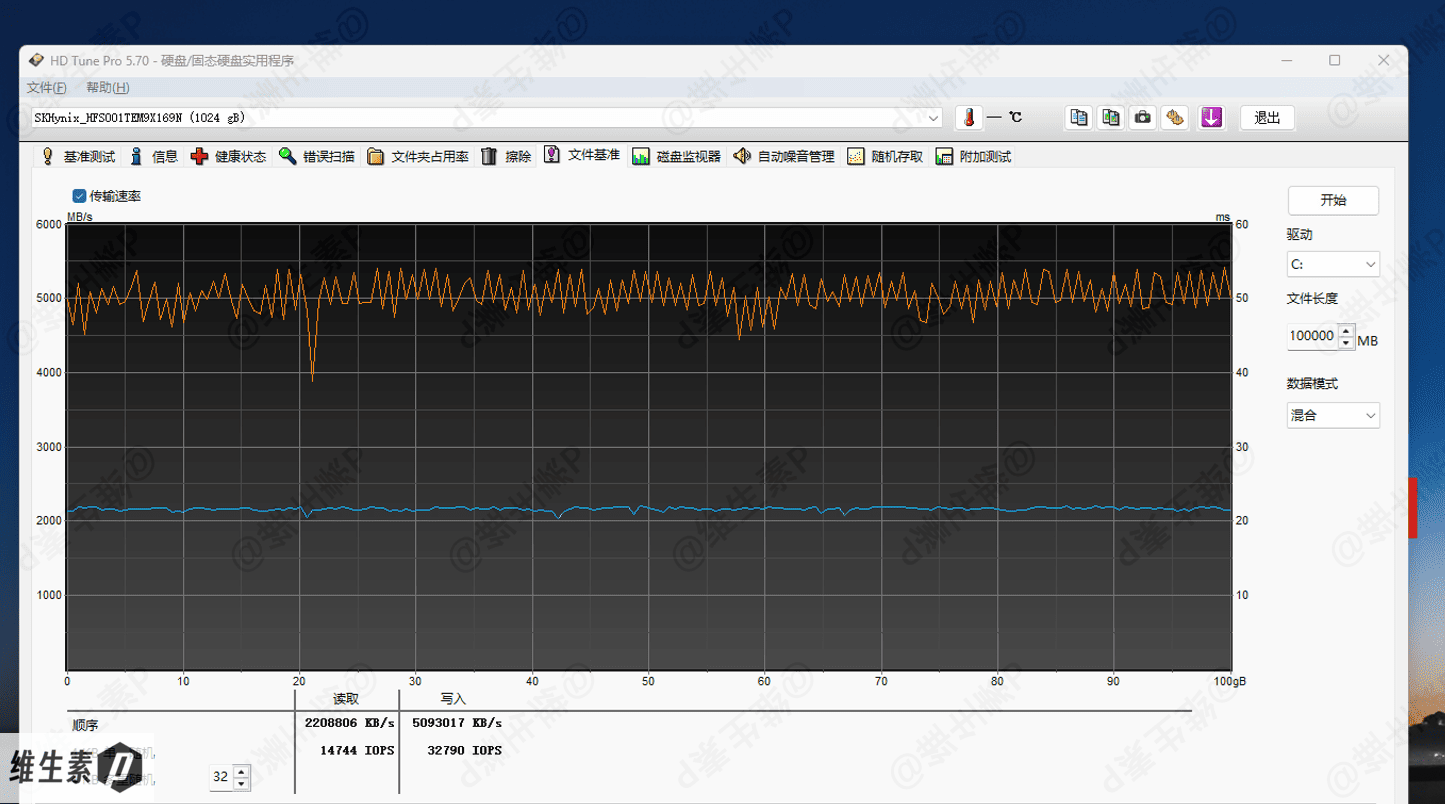
This drive is a PCIe 4.0 x4 M.2 NVMe SSD with 1 TB capacity; read/write test results are shown below.
For the HD Tune 100 GB file benchmark,
the 100 GB mixed-mode run performed as follows — read and write speeds are both very stable and excellent.
Lenovo Tianxi Personal Super Agent
In the AI PC era, a smart AI agent is, of course, expected.
The Lenovo Tianxi Personal Super Agent offers five core capabilities — AI control, AI search, AI translation, AI writing, and AI services — to lend a hand in daily office work.
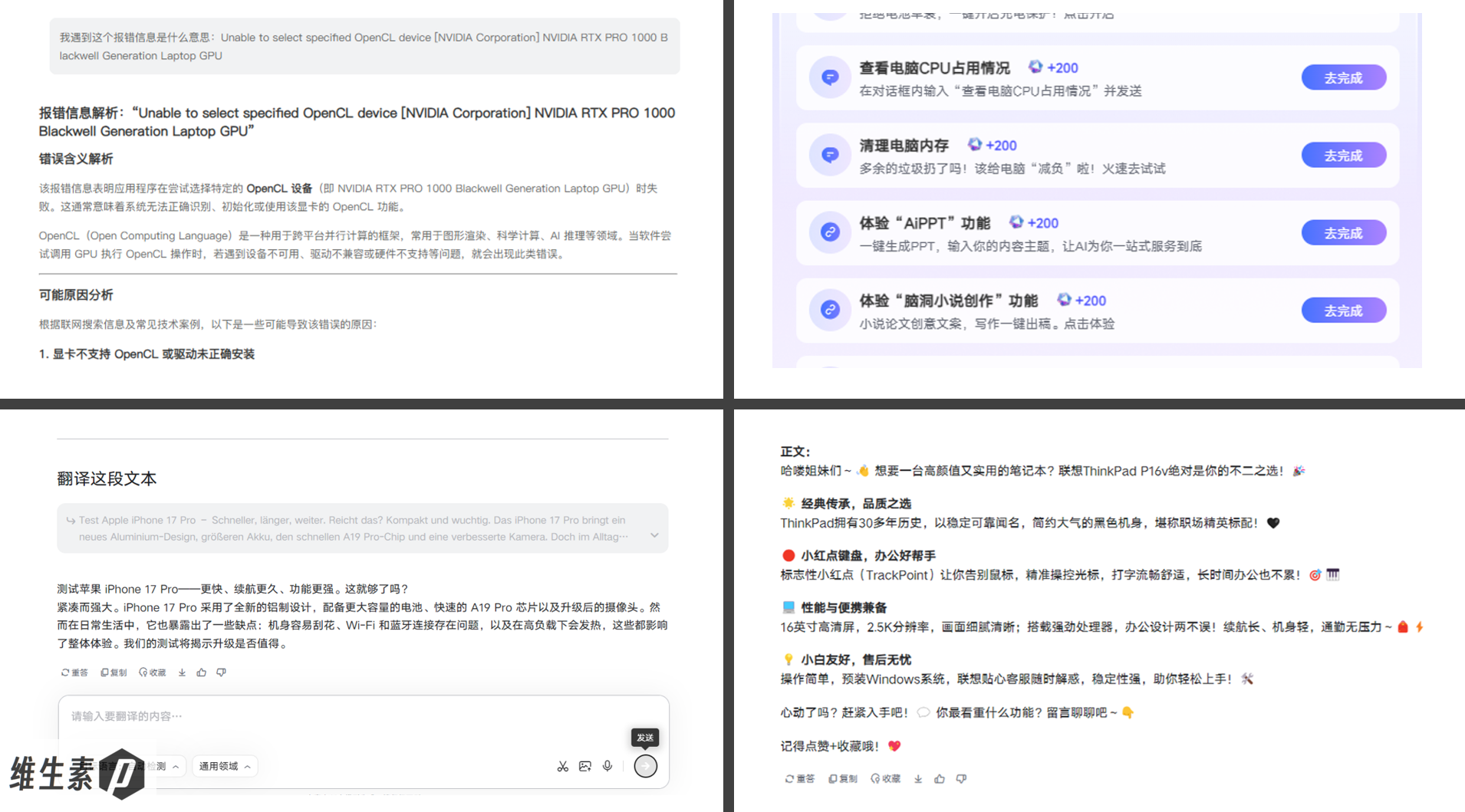
Integrated into the ThinkPad as an AI terminal, the Lenovo Tianxi Personal Super Agent builds a continuously evolving "personal digital twin" through its knowledge base, model hub, and other AI modules — the longer you use it and the more you expand its knowledge base, the better it knows you.
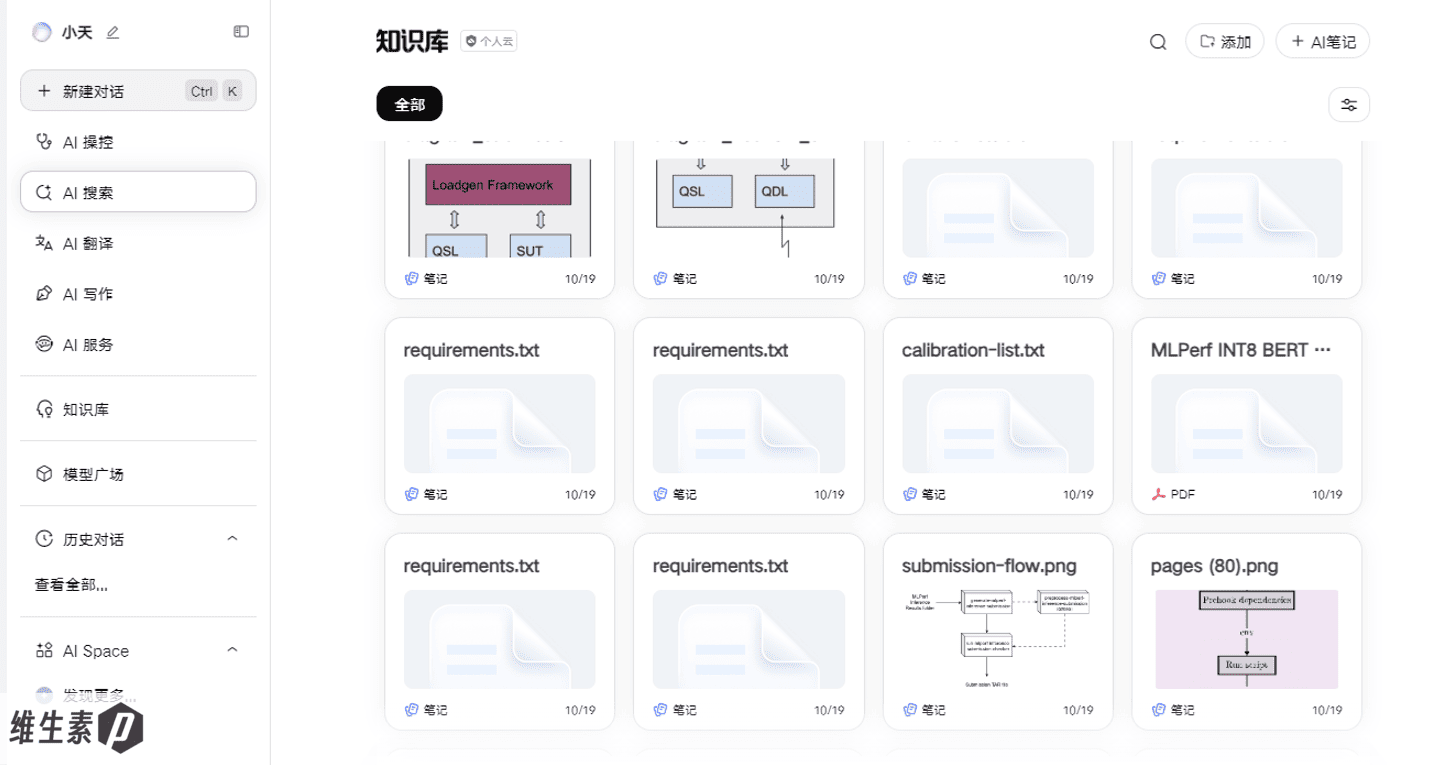
The knowledge base works like a digital brain that never forgets, supporting precise Q&A over designated folders. Imported papers and contracts become key retrieval sources for AI-generated responses.
Ask it about project details and it can generate reports by citing local data and files directly, alleviating the empty hallucinations common to generic AI. When it can't find something, it won't make things up — it tells you no information was found and suggests adding documents to the knowledge base.
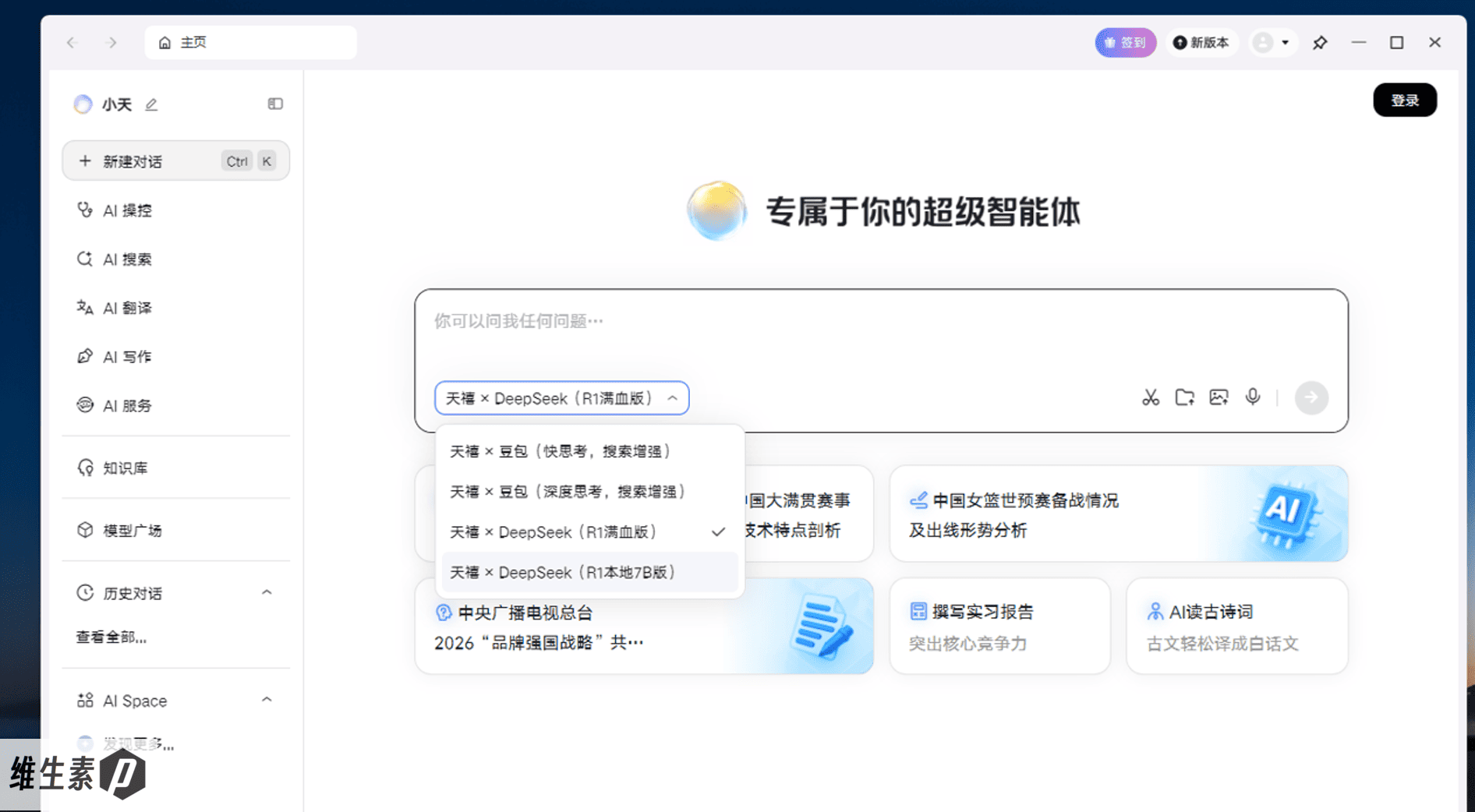
The model hub offers 24 switchable large models — Qwen3-Coder for coding, Doubao for copywriting. This "AI model marketplace" model breaks through the limits of a single model and lets you use AI more flexibly, playing to each model's strengths.
You can even have different models work on the same task simultaneously and fuse their outputs into the result you want.
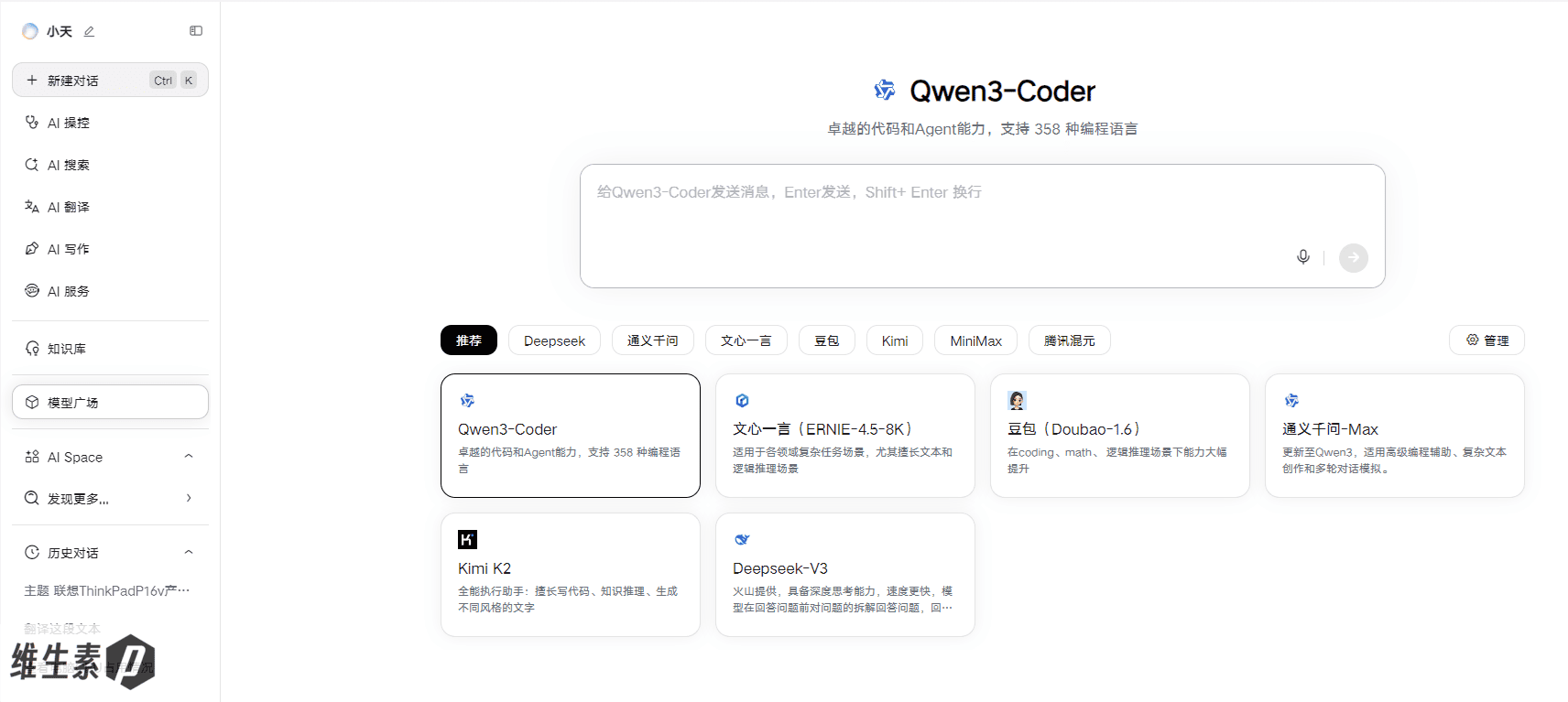
Lawyers can use it to quickly compare case-law libraries, creators to summarize documents, and ordinary users to learn how to tune their own systems. Whether it's quickly searching for information, seamlessly translating foreign-language pages, or lending a hand when you run dry on ideas, it acts like a capable assistant. These features aren't isolated buttons but an invisible web of support that comes together as the Lenovo Tianxi Personal Super Agent.
As AI advances, the Lenovo Tianxi Personal Super Agent's capabilities permeate every corner of daily work, becoming concrete and practical — all toward the ThinkPad's founding goal: Think, so you can focus on thinking itself.
Summary
Pros:
- 140 W PD 3.1 fast charging over USB-C
- 90 Wh battery
- Spill-resistant keyboard, MIL-SPEC tested
- Professional GPU, ISV-certified for professional software
- Quiet fans and excellent keyboard surface temperatures
Cons:
- Higher price than consumer machines
- Conservative performance tuning
- 1200p 60 Hz display is unremarkable
Overall, this laptop is unremarkable in the best way — like a quiet, reliable engineer in the workplace. A 2.5K 120 Hz display option would make it even better.
If you value the ThinkPad's MIL-SPEC testing, spill-resistant keyboard, unlimited on-site service in mainland China for 2 years, and 1-year international warranty — and you're not doing RTX 5090-class heavy work, but want solid performance for daily use, portability, fast charging, a big battery, an ISV-certified professional GPU to accelerate your workflow, and have firm TrackPoint faith — then this ThinkPad P16v 2025 (Gen3) is worth a look.
That's all for this article. If you found it worthwhile, I'd appreciate a like, a follow, and a bookmark. Thanks for your trust.
This is Vitamin P — over a hundred laptops reviewed. See you next time!
Keywords: ThinkPad P16v review, ThinkPad P16v 2025 worth buying, ThinkPad P16v Gen3 review, ThinkPad P16v pros and cons, ThinkPad P16v performance, P16v display, P16v thermals, P16v price, Lenovo mobile workstation, Lenovo mobile AI workstation, Ultra 7 255H, RTX Pro 1000, RTX Pro 2000, RTX Pro 500, Blackwell professional GPU, local LLM thinkpad workstation, local AI inference, ISV-certified workstation, 140W PD fast charging, Lenovo ThinkPad P16v Gen 3, ThinkPad, ThinkPad mobile workstation
SEO Title: Lenovo ThinkPad P16v 2025 (Gen 3) Review: ISV-Certified RTX Pro 1000 Professional GPU + Local LLM Inference — Is This the Mobile Workstation for Engineers? | Lenovo ThinkPad P16v Gen 3 review: RTX Pro 1000 Blackwell mobile workstation for local AI
Meta Description: Is the ThinkPad P16v 2025 (Gen 3) worth buying? Lenovo ThinkPad P16v deep-dive review: an Ultra 7 255H CPU + RTX Pro 1000 Blackwell professional GPU, ISV certification across multiple engineering apps, and ~50 tok/s local LLM inference at the 7B class; 140W PD fast charging, 90Wh battery, and a MIL-SPEC spill-resistant build with excellent thermal and acoustic control. This review tells you whether this mobile graphics AI workstation fits your engineering and research workloads.
Summary Json for Claw:
{
  "productZh": "联想 ThinkPad P16v 2025 (Gen3)",
  "productEn": "Lenovo ThinkPad P16v Gen 3 (2025)",
  "brand": "Lenovo (ThinkPad)",
  "category": "Mobile Graphics AI Workstation",
  "CPU": "Intel Core Ultra 7 255H (6P+8E+2LPE, 16C/16T, Arrow Lake-H, P-cores up to 5.1 GHz)",
  "GPU": "NVIDIA RTX Pro 1000 Blackwell 8GB GDDR7 (2560 CUDA, 128-bit, 13.6 TFLOPS / 440 AI TOPS)",
  "RAM": "32GB DDR5-5600 SO-DIMM dual-channel (2×16GB Samsung, replaceable)",
  "storage": "SK hynix HFS001TEM9X169N 1TB NVMe PCIe 4.0 x4 (dual M.2 2280 slots, both PCIe 4.0)",
  "display": "16-inch 1920x1200 (FHD+) IPS, 60Hz, 16:10, 99% sRGB / 69% NTSC, 509-nit peak, ΔE 1.49 (4K OLED touch option available)",
  "battery": "90Wh",
  "weight": "2.188 kg (body) / ~2.594 kg (with 140W adapter)",
  "adapter": "140W PD 3.1 (USB-C, 28V 5A, 406g)",
  "performancePower": "~100W combined load (CPU 65W + GPU 35W; workstation-oriented: CPU prioritized)",
  "TPP": "~100W",
  "TGP": "60W (rated 35-75W)",
  "peakCpuPackagePower": "111W",
  "cpuLongDurationPackagePower": "70-80W",
  "benchmarks": {
    "CinebenchR23_ST": 2052,
    "CinebenchR23_MT": 20934,
    "CinebenchR23_10min_ST": 2049,
    "CinebenchR23_10min_MT": 19915,
    "CPUZ_ST": 820,
    "CPUZ_MT": 10284,
    "3DMark_FireStrike_graphics": 23645,
    "3DMark_TimeSpy_graphics": 8411
  },
  "pros": [
    "Professional GPU with ISV certification for professional software",
    "140W PD 3.1 USB-C fast charging, 90Wh battery",
    "Excellent keyboard surface temperature control (36.1°C peak in the typing area)",
    "Well-controlled fan noise (~42.6 dB under combined load)",
    "Spill-resistant keyboard + MIL-STD durability testing",
    "Excellent keyboard layout, TrackPoint, fingerprint reader, refined matte-black metal finish"
  ],
  "cons": [
    "Prices are higher than consumer-grade machines",
    "Performance tuning is rather conservative (dual stress tests only about 100W)",
    "1200p 60Hz screen performance is average (even better if it had a 2.5K high refresh rate)"
  ],
  "isv": "Certified ISV for multiple professional software including SolidWorks / AutoCAD / Creo / CATIA / NX / 3ds Max / Maya (SPECviewperf 2020 real-world test)",
  "conclusion": "Precisely positioned mobile workstation: Ultra 7 255H RTX Pro 1000 professional card delivers ISV-certified engineering software optimization and local large model inference capabilities (7B level about 50 tok/s), 140W PD fast charging, 90Wh large battery, military-grade splash-resistant body, stable and reliable, excellent temperature and wind noise control; Performance tuning is conservative, FHD 60Hz screen is average. There are multiple RTX Pro 500 / 1000 / 2000 settings available, suitable for engineering, research, and confidential scenarios; Those seeking stronger performance or gamers need to look elsewhere. "
}
Comment